
By using this site, you agree to our Privacy Policy and our Terms of Use. Close

Forums - Website Topics - Thread issues dependant on browser used. Please help.

Hi, I seem to be running into many issues with Firefox and Explorer when it comes to creating quote boxes around pictures, text in threads. Sometimes it works and sometimes is is just all screwed up.

Does this happen for anyone else?

Here are pictures of the same exact spot in 2 different browsers.

1st picture is in Google Chrome:


This next on is in Internet Explorer:


This next on is in Firefox:


I also have transparent pictures that display perfect in Chrome and in Explorer they get a blue border and in Firefox they get an orange border.

What gives?


iPhone = Great gaming device. Don't agree? Who cares, because you're wrong.

Currently playing:

Final Fantasy VI (iOS), Final Fantasy: Record Keeper (iOS) & Dragon Quest V (iOS)     
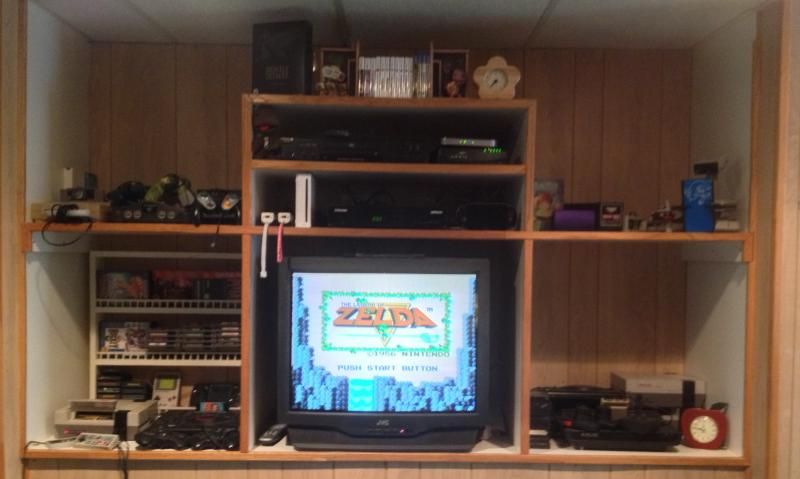
    

Got a retro room? Post it here!

Around the Network

Is this thread just a way to advertise your Official 3D Dot Game Heroes thread?

Anyway, post it in my "minor complaints" thread which TalonMan has so kindly hijacked


(Former) Lead Moderator and (Eternal) VGC Detective

Euphoria14 said:

Hi, I seem to be running into many issues with Firefox and Explorer when it comes to creating quote boxes around pictures, text in threads. Sometimes it works and sometimes is is just all screwed up.

Does this happen for anyone else?

Here are pictures of the same exact spot in 2 different browsers.

What gives?

The HTML for the tables it's using to create those is malformed. 

When broken code is presented to a web browser, the browser has to figure out a way to handle it because it has no way of magically knowing what you intended the page to look like.  Since it doesn't know what it should do... it starts guessing and every browser tends to guess a little differently.


What WoW said, but it matters what version of each browser is used, too.


PC gaming is better than console gaming. Always.     We are Anonymous, We are Legion    Kick-ass interview   Great Flash Series Here    Anime Ratings     Make and Play Please
Amazing discussion about being wrong
Official VGChartz Folding@Home Team #109453
 

Solution - use Chrome.


Around the Network

If you post the HTML, if thats possible here, some of us can help with the code. It doesn't take much effort to make that layout of yours work accross web browsers.

Maybe do this:

1) Make a Table with 2 Rows, place text in the upper row and pic on bottom row,

2) On the table properties popup, put in cellpadding as 5, and cellspacing 0

3) Close the properties popup

4) Right click on the top cell and choose from the menu Cell > Table Cell Properties

5) Go to the Advanced tab and at the Style field add in "background-color: #1c1c1c;" (without quotes)

6) Then centralise the frames texts if you prefer

7) Repeat 4-6 for bottom row

Scroll down for examples.

This here is a floating table.

With style of: float: right;

Note that all content here has some styles applied already from VGC's own style sheets, thats why in this example, the cellspacing is set to zero and individual styles are applied to each cell instead of the whole table, VG has a color defined for table cells and it will override your style if you style the whole table instead of each cell.

Like this, this should display properly in all browsers. This is a table 300px wide with 2 rows. This is the top row.


This is the bottom row