By using this site, you agree to our Privacy Policy and our Terms of Use. Close

Forums - Microsoft - xbox 360 disk read issues... and a rant! Hooray! 2 for the price of 1.

Seraphic_Sixaxis said:
wfz said:
Seraphic_Sixaxis said:
wfz said:
Seraphic_Sixaxis said:
What model is your 360?


Arcade. I bought the 120gb HDD off of Amazon. It shouldn't make any difference, ri--


Oh, do you meant what chip I have? I think it's the Jesper. My tray wobbles when it opens and closes, and that's the trademark for one of the chips... I think it's the Jesper.


Best way to find out is if you have the 12v or 12.1v on the back of your arcade unit. when ya find out what it is tell meh.


You want a number from the back of my console? Weird, normally people want the number on the power adapter brick.


It says 12v in tiny letters near the bottom left of the sticker on the back, near the AV connector. Is that it?

Ouch, damn...

Yeah man, its a Jasper alright. i've got one like that to.

Hmm....  Damn Microsoft.. i've never had any issues as of yet... but it sounds like the SIE, how do you have your 360 Position'd?


Laying down of course, I wouldn't dare have it standing up. :P


JaggedSac, wasn't it at least a bit entertaining to read? I tried. Anyways those official threads normally never work out for anything. Is it really a problem to create my own? It's not like these threads are made all the time, right?


Well I suppose this all turned out to be good, since it really just was my HDD needing to be re-plugged. At least now I can rest peacefully and start having fun playing again with my friends and brother tomorrow.


Around the Network

When my 360 would give read errors I would just turn it on and off again a few times till it read the disk or change its position from virticle to horizontal. This was a common problem for me.


Love is whats most important.


You should install games to your HDD,makes your 360 last 11 years and 1 day

add me on xbl if you have it that is


thtwhtshesaid8


wfz said:

Hey guys, over the past few days I haven't done much on my 360 besides play Castle Crashers and Halo 1 ("trying" to play Halo 1 is more like it). I'm playing through the entire Halo story with my brother since he's never done it before and we both thought it would be fun. He's played multiplayer a lot, but never the story. I recently re-bought Halo 1 and 2 used. The only problem is that while playing through Halo 1, the 360 would sometimes not read the disk. This would ONLY happen during those big loading screens, and besides that the game always ran fine. I'm pretty pissed off because I just played through those Halo 1 + 2 copies a few weeks ago by myself and they worked fine.


So, the disk is probably just scratched since it's a used game, right? That's what I figured, even though I could not find any bad scratches on the disk.

So today, we decided that we'd skip right into Halo 3, and I briefed him on what happened so far in the story. We watch the intro cutscene...and the INSTANT the game starts it's big loading screen, my 360 says the disk is unreadable. What?! I haven't had this problem ONCE while playing Halo 3 before, and it's a brand-spankin new copy (well, about 5 months old). In disbelief I take out the disk and look at the bottom of it to see what the problem was. What do I find when I look at it?...


....


.... It's perfectly fine, of course! After a few more tries of playing (and subsequent disk read errors during the loading screen) I'm now convinced that none of my games are scratched, and that it must be a problem with my 360. I looked online to see what it could be, and while I'm going to stay away from repairing my own console, one of the solutions looked easy enough: Unplug and then re-plug your HDD. Simple right? Going to make any ****ing difference though? How the hell could it? To me that sounds just as helpful as unplugging your keyboard on your computer to stop Firefox from crashing.


Well ever since I did that, I haven't gotten one disk read error yet (we've been playing for 2 hours since). Am I getting lucky, or is it really that stupid of a problem?


My 360 used to give me red lights when the AV cables and HDD weren't plugged in oh-so-perfectly, and it used to give me quite a few disk read errors on Gears 2 (I can't remember what I did to "fix" them, but I think it was this ridiculous HDD unplugging) and I seem to be having nothing but problems. Almost every damn time I turn my 360 on, shit hits the fan. The part that makes me the angriest is that NONE of my friends who have 360s have any of these problems.


It's like the gods are punishing me for turning on Nintendo and buying my first non-Nintendo console (PS2 was used so apparently they didn't count that). It's probably the work of Iwata.


Anyways, what do you guys think, am I safe now? Or is my 360 bound to get a drive failure and need to get sent in?

Thats starting to happen to my 360 once in a BIG while (once a month about) it will just stop reading any and all games of mine, i just unplug it, make sure its clean, and then it always works again for me.


If this continues to happen on a regular basis I would call MS for a exchange. You've had it less then a year so they won't charge you anything, though I'm not sure about free shipping to them.


It's just that simple.

Around the Network

If the problem continues I would nip it in the butt right then and there and give Microsoft a call. No point in waiting until the thing potentially gives out to send it back, it will only become more frustrating, especially if you were in the middle of a real good single player game.

My Falcon model still runs the best out of all 3 of my consoles. *knocks on wood*

Crazy huh?


iPhone = Great gaming device. Don't agree? Who cares, because you're wrong.

Currently playing:

Final Fantasy VI (iOS), Final Fantasy: Record Keeper (iOS) & Dragon Quest V (iOS)     


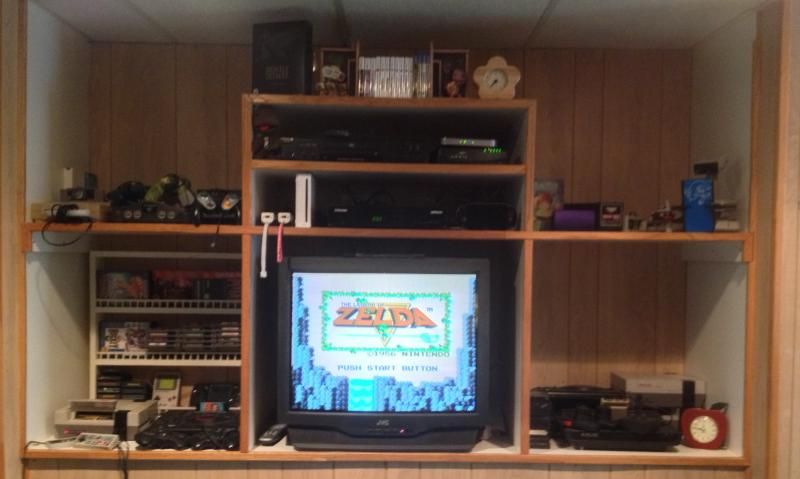
Got a retro room? Post it here!

@wfz..........did it hang near the loading screen ie just keeps going on? and wen u insert disc just a black screen loading? those are the 2 probs i had wen i had the game, it did it even after wiping down disc,,,,,,,,but other times it loaded fine


...not much time to post anymore, used to be awesome on here really good fond memories from VGchartz...

PSN: Skeeuk - XBL: SkeeUK - PC: Skeeuk

really miss the VGCHARTZ of 2008 - 2013...

I know squat about such problems or hardware issues on the 360 in general. But if it is "fixed" by re-plugging in the HDD and it's known on the net, can't it be a system software bug triggered by faulty HDD hardware, not by the console hardware itself?
Something like the HDD going dead or disconnected suddenly for a brief time, causing the system software I/O subsystem to stall.
In this case sending the 360 for manteinance might not solve the issue... can the HDD be tested on another 360 console?


"All you need in life is ignorance and confidence; then success is sure." - Mark Twain

"..." - Gordon Freeman

Seraphic_Sixaxis said:
wfz said:
Seraphic_Sixaxis said:
wfz said:
Seraphic_Sixaxis said:
What model is your 360?


Arcade. I bought the 120gb HDD off of Amazon. It shouldn't make any difference, ri--


Oh, do you meant what chip I have? I think it's the Jesper. My tray wobbles when it opens and closes, and that's the trademark for one of the chips... I think it's the Jesper.


Best way to find out is if you have the 12v or 12.1v on the back of your arcade unit. when ya find out what it is tell meh.


You want a number from the back of my console? Weird, normally people want the number on the power adapter brick.


It says 12v in tiny letters near the bottom left of the sticker on the back, near the AV connector. Is that it?

Ouch, damn...

Yeah man, its a Jasper alright. i've got one like that to.

Hmm....  Damn Microsoft.. i've never had any issues as of yet... but it sounds like the SIE, how do you have your 360 Position'd?


It's not the volts, it's the ampers.

Jaspers have 12a not 12v


Current-gen game collection uploaded on the profile, full of win and good games; also most of my PC games. Lucasfilm Games/LucasArts 1982-2008 (Requiescat In Pace).

its possible your disc might have some strange chemical coating that needs to be wiped... >.>

I know it sounds weird but i had to do this with fable II.. doing that gave it those fine hairline surface scratches but dont have any reading problems now..