By using this site, you agree to our Privacy Policy and our Terms of Use. Close

Forums - Gaming - Understanding Anti-Aliasing

kain_kusanagi said:
This might be slightly off topic, but do you think that real time graphics in extreme HD like 4k will have a need for anti-aliasing?


Yes, they do. 4k is pretty much 2xSuperSampled.


Around the Network
CGI-Quality said:
Wright said:
CGI-Quality said:

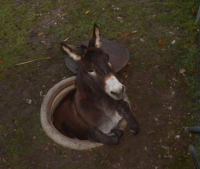
Hmmm, that actually looks like a shader + anti-aliasing error.


Any possible way to fix it?

All in the coding. That's much more a data issue than an artistic one. Also depends on engine, resources, and time.


You seem pretty educated in this manner =P


Sooo... anyone know why FXAA causes texture blurring?


Scoobes said:
Sooo... anyone know why FXAA causes texture blurring?


Because it's a blur filter. A clever implementation of a blur filter, but it does not calculate more geometry/color samples, as other AA methods do. The good thing about FXAA and other shader AA methods is that they have a very low performance hit, and they also help with specular/shader aliasing, but they fail miserably with subpixel geometry and you can have texture blurring. There is an evolution of FXAA called SMAA that provides better image quality: http://www.iryoku.com/smaa/


Heavenly_King said:
is there a way to have the "to be displayed image" as the displayed image??


Yeah, with the PS4.

B.E.L.I.E.V.E.


Nintendo is selling their IPs to Microsoft and this is true because:

http://gamrconnect.vgchartz.com/thread.php?id=221391&page=1

Around the Network

I hate when subtitles are added to the scene before AA. It really looks horrible in motion.


Lafiel said:
Weedlab said:
Brings me back to PS2 days. Oh so jaggy.

have you played Infamous 1 ? that's next gen jaggyness ;) great game though


That is true. inFAMOUS was an ugly game, for a lot of reasons. Sucker Punch admitted that in an interview in the last 2 years. They said they made a lot of mistakes with the first game and it was only after they realized the errors in their ways - as they say hindsight is 20/20. They definitely learned their lesson since the second game has infinitely better from a visual perspective. But that aside, you are right, it is a great game.


Playstation = The Beast from the East

Sony + Nintendo = WIN! PS3 + PSV + PS4 + Wii U + 3DS


Weedlab said:
Lafiel said:
Weedlab said:
Brings me back to PS2 days. Oh so jaggy.

have you played Infamous 1 ? that's next gen jaggyness ;) great game though


That is true. inFAMOUS was an ugly game, for a lot of reasons. Sucker Punch admitted that in an interview in the last 2 years. They said they made a lot of mistakes with the first game and it was only after they realized the errors in their ways - as they say hindsight is 20/20. They definitely learned their lesson since the second game has infinitely better from a visual perspective. But that aside, you are right, it is a great game.


who is the woman in your avatar?? she looks really beautiful and sexy :3


CGI-Quality said:
Wright said:
So, is anti-aliasing the responsible for messing up some character's hairs? I don't know if you've experienced this kind of graphical problem, but the borders of certain characters in videogames tend to get messed up, creating a blurry line that does not fit either the hair or the background.

That's potentially an aliasing issue, yep. 

Isn't that a problem with transparencies?


LemonSlice said:
CGI-Quality said:
Wright said:
So, is anti-aliasing the responsible for messing up some character's hairs? I don't know if you've experienced this kind of graphical problem, but the borders of certain characters in videogames tend to get messed up, creating a blurry line that does not fit either the hair or the background.

That's potentially an aliasing issue, yep. 

Isn't that a problem with transparencies?

They often are coupled. Hair and grass are notoriously problematic, as they involve lots of overlapping triangles and lots of overlapping transparencies on their edges. A short recapitulation, sorry if it's stuff you know already:

Your cleanest way to antialias would be supersampling (SSAA), that is render at a higher resolution, then downscale the image to the actual output resolution.This is expensive in fill-rate, texture processing etc.

To reduce pixelpushing, since the inner parts of textured triangles are usually already filtered, there is a nicer method called multisampling (MSAA) that focuses computation around the edges. This technique does not play well with some shader effects and another optimization called alpha-testing, and can result in edges with transparencies, such as those in hair and grasss, to not be antialiased at all by MSAA.

Enters alpha-to-coverage, a further way to treat superposition of partially transparent fragments that plays well with MSAA, is pretty fast on some hardware (the 360 is good at it when using MSAA) and thus very often used with foliage and hair. But in turn it sometimes gives some shimmering artifacts (I think that's what happened in many PS2 games such as SotC, but I'm going on a limb here).

An alternative is a pixel-level a posteriori AA, such as the morphological AA on SPUs pioneered on PS3 in GoW3, or the FXAA that Kynes described previously, where you draw everything first, then you scan the resulting image for edges you have to soften and blur them in a purely 2D fashion. The good thing is that way you can antialias all shader effects. This works surprisingly well in some cases, badly in other because if your antialias algorithm is not smart enough, it might not be able to understand which edges really need smoothing. And of course there's  a tradeoff in how much CPU/GPU power you want to spend on this recognition, so once again you can have shimmering artifacts on some edges or an overly large blurred area. And transparencies such as those in hair? Still prone to artifacts with the amount e.g. of SPU budget you have on a PS3.

So, basically, hair is hard :)


"All you need in life is ignorance and confidence; then success is sure." - Mark Twain

"..." - Gordon Freeman