









noname2200 on 01 December 2008

To change your password, click on "Edit Profile" on the Control Panel.
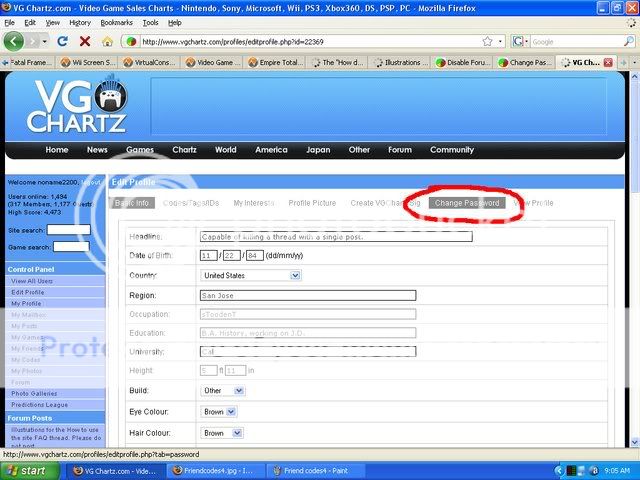
At the top of the page, you'll find a tab labelled "Change Password." Click on it to arrive at a new screen.
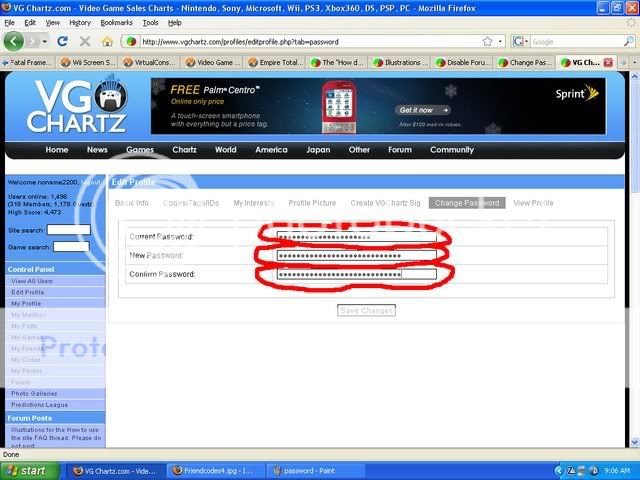
From here, simply type in your old password, your new password, and then your new password again, then click Save Changes. And you're done!


