VGChartz Pro

Forums - Sony Discussion - Official Playstation Vita Thread! Warriors Orochi and Dragon Ball Z for vita! KZ Merc Trailer! FIFA 14 and TWD 400 DLC confirmed! Desitiny of Spirits Vita! ! Half a Million PSO2 players on vita!

What sony franchise would you like to see a vita exclusive sequel for

Heavenly Sword
Demon's Souls
Ape Escape
Alundra
MediEvil
Legend of Dragoon
inFAMOUS
Dark Cloud
Other: please name
DemoniOtaku said:
ithis said:
d21lewis said:
Machina said:

I'm not sure sorry, my version of Hot Shots Tennis is a UMD not a PSN download.

The answer is "no".  I downloaded it to the PS3 right before I got my Vita and I can't port it to the Vita.  Sucks since that was my #1 PSP game of all time!


That's wierd. The PSV has a PSP emulator that can play any PSP game as far as I know. What's special about it that you can't transfere the downloaded game and you can do it with others?


Not all games.. some aren´t compatible.. there's a list on PSN Blog.. but are some game's that aren´t in that official list and are playable... with the time the comtability will rise.. I just hope that some games debut on Digital.. like valkyrie Profile Leneth.. and PS2 classics were compatible too^^

I found this: http://blog.us.playstation.com/2012/02/09/how-to-download-psp-titles-to-ps-vita/

But that list (down the page) does not include Metal Gear Solid Peace Walker for example, and we KNOW that it wors (there are screenshots and what not). That is the list of PSP games that appear in the PSV related store in the US. Does not mean that the rest are not compatible.

Am I wrong?


PaulChaniNightOut

Around the Network


OFFICIAL 1080p trailers (Not stream videos)

d21lewis said:
osamanobama said:
ok so i cant figure out how to get movies saved on my computer to play on my PSV.

i downloaded the content manager, no movies showed up, even though i have 2 movies saved on itunes. so then i copied the movie files over to the Movie folder that the vita looks for, then the movies showed up on content manager. i then select copy, and after its done transferring to my vita, it says it cant be played!!!

can someone help?!!

What I had to do (and I'm sure there's an easier way) was download a movie from the net, convert it to PSP format, copy it to my PS3, and then copy from my PS3 to the Vita.  Talk about a headache!!

Easiest way to get videos onto the PSV is DVD>Handbrake>.m4v

Drop in your PSV movie folder and go.


these backgrounds are amazing!

also all these fake accounts popping up are clearly that Pokemon guy, how sad

PS4 Must Buy ListMetal Gear Solid 5, Final Fantasy 15, Killzone: Shadow Fall, DriveClub, Watch Dogs, The Dark Sorcerer (Project), Infamous Second Son, The Order: 1886, Battlfield 4, Destiny, Oddworld: New and Tasty, Plants VS Zombies: Garden Warfare, Star Wars: Battlefront 

Here's a few wallpapers/lockscreens that I have going on. I have a rather giant folder of wallpapers now, but these are just a few I thought I'd share.

http://imgur.com/a/hvVkr

Check out MyAnimeList and my Backloggery.

Around the Network
greenmedic88 said:
d21lewis said:
osamanobama said:
ok so i cant figure out how to get movies saved on my computer to play on my PSV.

i downloaded the content manager, no movies showed up, even though i have 2 movies saved on itunes. so then i copied the movie files over to the Movie folder that the vita looks for, then the movies showed up on content manager. i then select copy, and after its done transferring to my vita, it says it cant be played!!!

can someone help?!!

What I had to do (and I'm sure there's an easier way) was download a movie from the net, convert it to PSP format, copy it to my PS3, and then copy from my PS3 to the Vita.  Talk about a headache!!

Easiest way to get videos onto the PSV is DVD>Handbrake>.m4v

Drop in your PSV movie folder and go.

Does it encode it to native Vita screen resolution ? And also does it preserve subtitles in mkv files ?


PROUD MEMBER OF THE PSP RPG FAN CLUB

ithis said:
DemoniOtaku said:

Not all games.. some aren´t compatible.. there's a list on PSN Blog.. but there are some game's that aren´t in that official list and are playable... with the time the comtability will rise.. I just hope that some games debut on Digital.. like valkyrie Profile Leneth.. and PS2 classics were compatible too^^

I found this: http://blog.us.playstation.com/2012/02/09/how-to-download-psp-titles-to-ps-vita/

But that list (down the page) does not include Metal Gear Solid Peace Walker for example, and we KNOW that it wors (there are screenshots and what not). That is the list of PSP games that appear in the PSV related store in the US. Does not mean that the rest are not compatible.

Am I wrong?

Is like I say before... en NEoGaf forums there´s a updated list of games that run and games that not run... here is another one based on Neogaf's

http://www.cheapassgamer.com/forums/showthread.php?p=9399367


Zlejedi said:
greenmedic88 said:
d21lewis said:
osamanobama said:
ok so i cant figure out how to get movies saved on my computer to play on my PSV.

i downloaded the content manager, no movies showed up, even though i have 2 movies saved on itunes. so then i copied the movie files over to the Movie folder that the vita looks for, then the movies showed up on content manager. i then select copy, and after its done transferring to my vita, it says it cant be played!!!

can someone help?!!

What I had to do (and I'm sure there's an easier way) was download a movie from the net, convert it to PSP format, copy it to my PS3, and then copy from my PS3 to the Vita.  Talk about a headache!!

Easiest way to get videos onto the PSV is DVD>Handbrake>.m4v

Drop in your PSV movie folder and go.

Does it encode it to native Vita screen resolution ? And also does it preserve subtitles in mkv files ?

There's no point in encoding a DVD at any resolution higher than the original resolution which varies from DVD to DVD; you'd only be making the file size larger with no improvement in quality. The default resolution is best. A standard 720x480 resolution looks good on the PSV display. Handbrake has the option to burn in any of the subtitle tracks into encoded .m4v files.


outlawauron said:
Here's a few wallpapers/lockscreens that I have going on. I have a rather giant folder of wallpapers now, but these are just a few I thought I'd share.

http://imgur.com/a/hvVkr


That Dark Souls lockscreen with the zipper is the one I am currently using.

Anyways, I am going to post a couple of them here so I can grab them from my Vita. I don't think I can go to that site.


This one is awesome guys, USE IT NAO! The zipper makes the peeling effect 100x more awesome!


Current gaming laptop specs:

Intel Core i7-3610QM @ 2.3-3.3GHz w/6MB Cache, 6GB DDR3 RAM (@1600MHz), NVIDIA GT650M 2GB GDDR5/Intel HD4000, 500GB SATA 7200RPM HDD, 1366x768 WLED Display, Windows 8 Pro 64-bit.
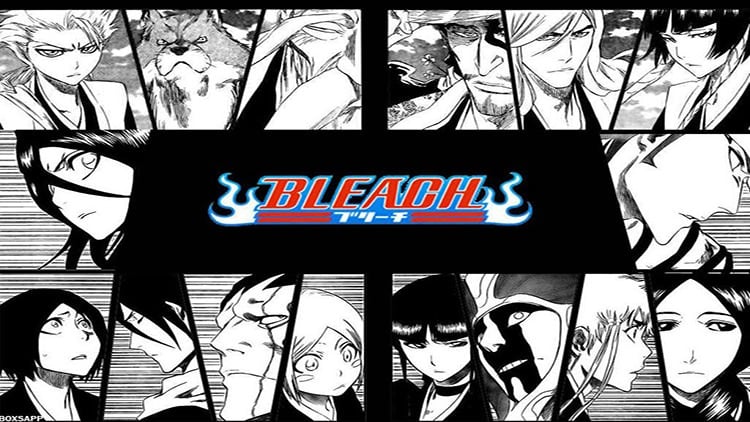
Currently Playing: Metro: Last Light (Scary stuff w/ Headphones)

                                  Soul Sacrifice (Vita)


Pre-ordered PS4 w/Killzone: Shadowfall!

Around the Network

Putting a few more here for me to grab, including the FFVI one I asked for. Going to seriously give this the zipper effect and use it as my lock screen.

Also going to try these out. They are from username CaptainZombie on neogaf. I use something similar, but mine don't have gaming backgrounds. I MUST HAVE THESE!
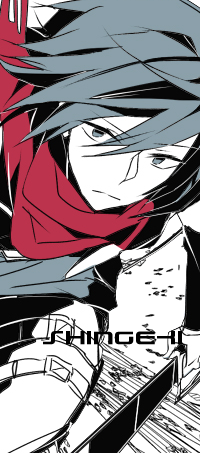
http://www.neogaf.com/forum/showthread.php?t=462902&page=17


Current gaming laptop specs:

Intel Core i7-3610QM @ 2.3-3.3GHz w/6MB Cache, 6GB DDR3 RAM (@1600MHz), NVIDIA GT650M 2GB GDDR5/Intel HD4000, 500GB SATA 7200RPM HDD, 1366x768 WLED Display, Windows 8 Pro 64-bit.

Currently Playing: Metro: Last Light (Scary stuff w/ Headphones)

                                  Soul Sacrifice (Vita)


Pre-ordered PS4 w/Killzone: Shadowfall!