Guide for beginner how to convert WMV, ASF, WMA, AVI, RMVB, RM, RA, MOV ect to psp
PSP Video Format
The video codec supported by the PSP is a proprietary variant of the H.264 codec closely related to DivX. The format is also referred to as the Memory Stick Video Format. The audio codec used is AAC.
Before loading video onto your PSP it needs to be transcoded using one of the tools listed below. Some compatible (Sony) devices may be able to produce video in the correct format, and therefore may not require transcoding.
The PSP manual states that the maximum supported bit rate is 768kbps The native screen resolution is 480x272, which means it has an odd aspect ratio of 1.764, not quite 16x9. The device supports several scaling modes (normal, zoom, full, original).
File Naming Convention
When storing video on the card a strange file naming convention is used. All video files and thimbnails need to be stored in a folder called: /MP_ROOT/100MNV01.
Each video in this folder is represented by an data file and a thumbnail file called: M4V00001.MP4 and M4V00001.THM. The 00001 component of the file name is incremented for multiple videos.
The thumbnails are simple 160x120 JPEG images stored with the .THM extension. Note that the title of the video is stored in the header of the file.
Conversion Tools
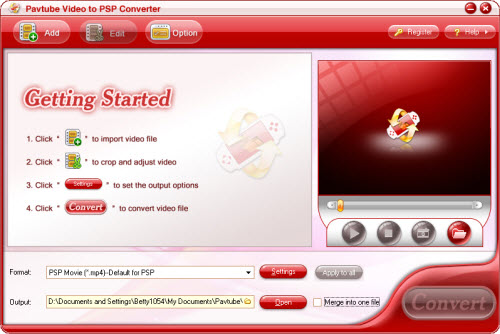
1. Download the latest versions from office website: http://www.pavtube.com/video_to_psp/ and run Pavtube Video to PSP Converter and you will see its main interface.
2. Import the videos to the file list by clicking Add button. Then you can edit the list using the buttons under the list.
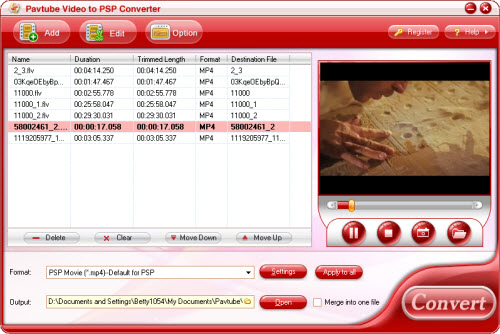
3. Open the profile drop-down bar to select the target conversion format for playback on PSP player. After this, please open output drop-down bar to specify where to save your converted files. 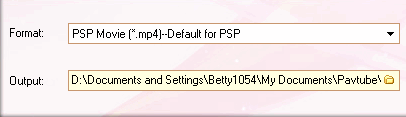
4. Previewing the video is a good choice for you. Under the preview window, you can click the button to capture the still pictures to save on your PC for enriching the picture collection.
5. Edit the videos
Effect:
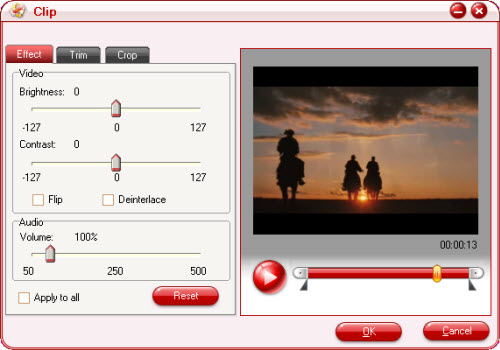
Adjust brightness, contrast, volume for video and audio. In addition, you can tick to modify the image effects in flipping and deinterlace.
Trim: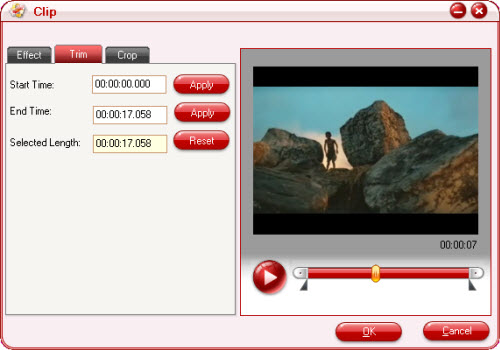
Drag the slider or set the number manually to choose the starting time and the ending time. You can gain the selected time phase for enjoyment.
Crop: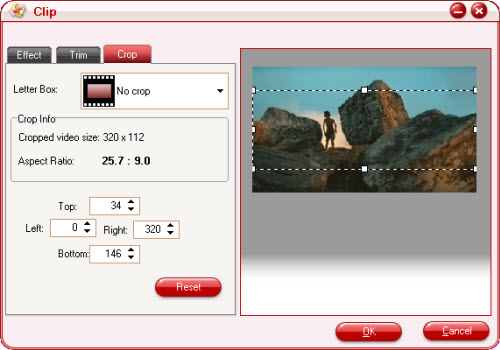
Open the drop-down list to select which edges to be cut off. Drag the frame-mark to specify the region you want.
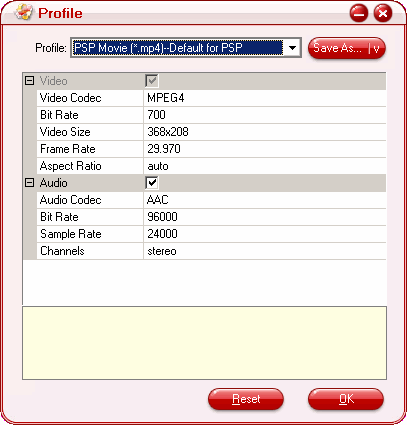
6. For better effects, clicking setting button can satisfy you. Tick to select which part to modify, video or audio. One click for the parameter can make the triangle button appear. Hit it then amend the parameter.
7. Click the merge button to create a single file. If you wish to reduce the trouble of resetting, hit apply to all button.
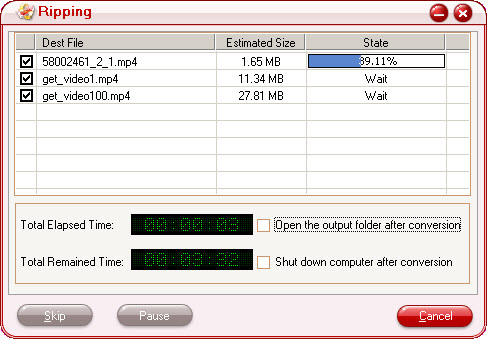
8. Start to run the program by clicking the button. After this, you can confirm the converted file on your PC by hitting open button. Here all the preparing work is finished. Then you can transfer the converted file to your PSP player for enjoyment.