
By using this site, you agree to our Privacy Policy and our Terms of Use. Close

Forums - Sony - PS4/Vita remote play. Constant disconnects. What's up?

walsufnir said:
Get yourself on your computer and do a ping to both machines/ips! This way you should find out whether ps4 or vita is the problem.
Just do
"ping -t $vita-ip" and another terminal with "ping -t $ps4-ip"

Where would I do this, in the command prompt?


iPhone = Great gaming device. Don't agree? Who cares, because you're wrong.

Currently playing:

Final Fantasy VI (iOS), Final Fantasy: Record Keeper (iOS) & Dragon Quest V (iOS)     
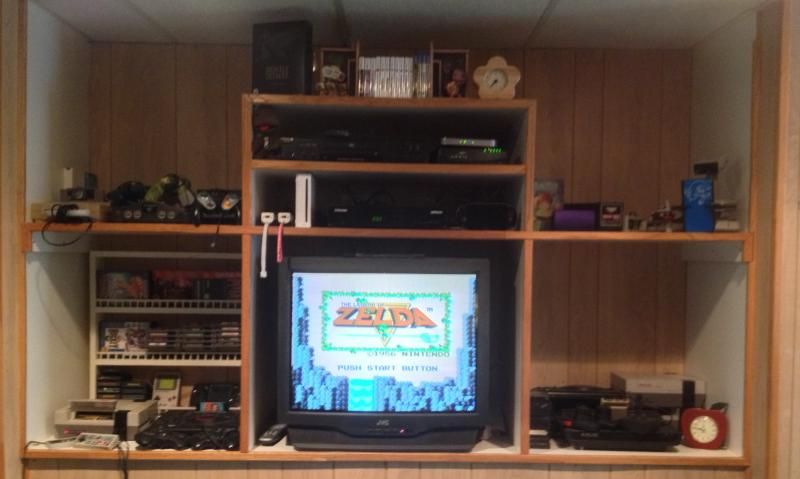
    

Got a retro room? Post it here!

Around the Network
Euphoria14 said:
walsufnir said:
Get yourself on your computer and do a ping to both machines/ips! This way you should find out whether ps4 or vita is the problem.
Just do
"ping -t $vita-ip" and another terminal with "ping -t $ps4-ip"

Where would I do this, in the command prompt?


windows-key + r -> enter "cmd", then enter. This will open a "dos-box". Just enter the commands there (so do it twice to ping both ips).


Havent tried it yet. But I read a review on a gamesite who was using this feature and they had similar problems, constant disconnects and very laggy when it was connected.

There solution was to delete your WiFi setting from the Vita, and then when it connects it will connect directly to the PS4 (rather than via WiFi).

This was only way it worked for them, as if the WiFi setting on the Vita are setup it always connects this way rather than direct to the PS4. Sounds like a bit of a pain in the ass to have to keep deleting and putting back in the WiFi settings on the Vita, but might be worth a try atleast to see if it works for you.


The best way to find out if you can trust somebody is to trust them.

Ernest Hemmingway

It'll be your wifi, mine works like a charm.


Aren't there 2 ways of connecting? Direct to PS4 without router and one to router. Perhaps connecting with cable can help.


Stories unfolded with my home made rap songs. Feel free to listen here with lyrics: https://youtu.be/vyT9PbK5_T0

Around the Network
walsufnir said:
Euphoria14 said:
walsufnir said:
Get yourself on your computer and do a ping to both machines/ips! This way you should find out whether ps4 or vita is the problem.
Just do
"ping -t $vita-ip" and another terminal with "ping -t $ps4-ip"

Where would I do this, in the command prompt?


windows-key + r -> enter "cmd", then enter. This will open a "dos-box". Just enter the commands there (so do it twice to ping both ips).

Did it for the PS4 and it had one point where it said "request timed out". Would normally be between 1ms and 15ms but sometimes randomly also jumped to 147-160ms.

Did it for the Vita and and it usually sits between 10-15 and sometimes jumps between 29-80ms with (1) instance of "request timed out".


I guess it's my ISP and/or router?


iPhone = Great gaming device. Don't agree? Who cares, because you're wrong.

Currently playing:

Final Fantasy VI (iOS), Final Fantasy: Record Keeper (iOS) & Dragon Quest V (iOS)     


Got a retro room? Post it here!

Did you try direct with PS4? Should be OK if it's on the same network in your house.


Euphoria14 said:
walsufnir said:
Euphoria14 said:
walsufnir said:
Get yourself on your computer and do a ping to both machines/ips! This way you should find out whether ps4 or vita is the problem.
Just do
"ping -t $vita-ip" and another terminal with "ping -t $ps4-ip"

Where would I do this, in the command prompt?


windows-key + r -> enter "cmd", then enter. This will open a "dos-box". Just enter the commands there (so do it twice to ping both ips).

Did it for the PS4 and it had one point where it said "request timed out". Would normally be between 1ms and 15ms but sometimes randomly also jumped to 147-160ms.

Did it for the Vita and and it usually sits between 10-15 and sometimes jumps between 29-80ms with (1) instance of "request timed out".


I guess it's my ISP and/or router?


It's not your isp, it's the router. Try to get a firmware update - which model is it, by the way? Generally you don't have a *stable* connection to the router. This is no problem while browsing or downloading but it seems remote play is not designed for small packet loss :(


walsufnir said:
Euphoria14 said:
walsufnir said:
Euphoria14 said:
walsufnir said:
Get yourself on your computer and do a ping to both machines/ips! This way you should find out whether ps4 or vita is the problem.
Just do
"ping -t $vita-ip" and another terminal with "ping -t $ps4-ip"

Where would I do this, in the command prompt?


windows-key + r -> enter "cmd", then enter. This will open a "dos-box". Just enter the commands there (so do it twice to ping both ips).

Did it for the PS4 and it had one point where it said "request timed out". Would normally be between 1ms and 15ms but sometimes randomly also jumped to 147-160ms.

Did it for the Vita and and it usually sits between 10-15 and sometimes jumps between 29-80ms with (1) instance of "request timed out".


I guess it's my ISP and/or router?


It's not your isp, it's the router. Try to get a firmware update - which model is it, by the way? Generally you don't have a *stable* connection to the router. This is no problem while browsing or downloading but it seems remote play is not designed for small packet loss :(

Net gear N150


iPhone = Great gaming device. Don't agree? Who cares, because you're wrong.

Currently playing:

Final Fantasy VI (iOS), Final Fantasy: Record Keeper (iOS) & Dragon Quest V (iOS)     

    

Got a retro room? Post it here!

Euphoria14 said:
walsufnir said:
Euphoria14 said:
walsufnir said:
Euphoria14 said:
walsufnir said:
Get yourself on your computer and do a ping to both machines/ips! This way you should find out whether ps4 or vita is the problem.
Just do
"ping -t $vita-ip" and another terminal with "ping -t $ps4-ip"

Where would I do this, in the command prompt?


windows-key + r -> enter "cmd", then enter. This will open a "dos-box". Just enter the commands there (so do it twice to ping both ips).

Did it for the PS4 and it had one point where it said "request timed out". Would normally be between 1ms and 15ms but sometimes randomly also jumped to 147-160ms.

Did it for the Vita and and it usually sits between 10-15 and sometimes jumps between 29-80ms with (1) instance of "request timed out".


I guess it's my ISP and/or router?


It's not your isp, it's the router. Try to get a firmware update - which model is it, by the way? Generally you don't have a *stable* connection to the router. This is no problem while browsing or downloading but it seems remote play is not designed for small packet loss :(

Net gear N150


I think they offer an auto-update when you access the router via web-interface. How much distance do you have between

1. router <-> vita

2. router <-> ps4

 3. ps4 <-> vita

?