By using this site, you agree to our Privacy Policy and our Terms of Use. Close

Forums - Gaming - 3 reasons why to NOT buy a new 3DTV for gaming.

^^ I do not see the color rainbow and neither does most people that have checked out my monitor.

Oddly enough it makes one of my friends almost nauseous watching my DLP (and he definitely sees the rainbow).

I would definitely buy that Lazer TV if I had 5k to burn.


Around the Network
disolitude said:
Slimebeast said:

Dam, I really wanted the 46 inch Samsung 3DTV!

But maybe it's mature when new models come out next year?

As for the 24 fps Blue ray input at 1080p I think that sounds awkward since 24fps is not enuff to provide a satysfying 3D-picture. I fought Bluray in 3D was 48 fps.

http://en.wikipedia.org/wiki/24p

1080p@24p per eye. Yes 48 fps overall video processing but you are seeing a 3D image at 1080p24p for bluray.

Its pretty sad that my 2 year old 3D samsung DLP can take a 1080p 3D signal at 60 hz. Sure, I am getting only 1080i per eye in checkerboard pattern...but even that looks better than straight up 720p 3D which these TVs displayfor gaming.

That would explain reports from E3 that GT5 and KZ3 didnt seem very 3d when playing them in 3d. 

As I said at E3 time. Glassless 3d TV's will be here in 4-5 years, with better results. Everyone needs to wait for it.


selnor said:
disolitude said:
Slimebeast said:

Dam, I really wanted the 46 inch Samsung 3DTV!

But maybe it's mature when new models come out next year?

As for the 24 fps Blue ray input at 1080p I think that sounds awkward since 24fps is not enuff to provide a satysfying 3D-picture. I fought Bluray in 3D was 48 fps.

http://en.wikipedia.org/wiki/24p

1080p@24p per eye. Yes 48 fps overall video processing but you are seeing a 3D image at 1080p24p for bluray.

Its pretty sad that my 2 year old 3D samsung DLP can take a 1080p 3D signal at 60 hz. Sure, I am getting only 1080i per eye in checkerboard pattern...but even that looks better than straight up 720p 3D which these TVs displayfor gaming.

That would explain reports from E3 that GT5 and KZ3 didnt seem very 3d when playing them in 3d. 

As I said at E3 time. Glassless 3d TV's will be here in 4-5 years, with better results. Everyone needs to wait for it.


I don't know about that...I mean, the fact TVs don't do 1080p gaming in 3D has no effect on PS3 games. PS3 can not do 1080p in 2D let alone 3D so TVs didn't hold back these games.

I mean, the only people that could say these games didn't seem very impressive in 3D are people that played Metro 2033 in 1080p 3D on the PC lol.


All of this shows that 3D is a "bleeding edge" technology for television sets.

It also makes one wonder if Sony's foray into home console 3D gaming is much like its original PS3 -- too much, too soon.

Mike from Morgantown


I am Mario.


I like to jump around, and would lead a fairly serene and aimless existence if it weren't for my friends always getting into trouble. I love to help out, even when it puts me at risk. I seem to make friends with people who just can't stay out of trouble.

Wii Friend Code: 1624 6601 1126 1492

NNID: Mike_INTV

It took a while for me to jump and grab myself a high quality HDTV and I just did so no more than 6 months ago, instead opting for a 720p/1080i CRT HDTV.

I will no doubt do the same thing here, either get a not so stellar one on the cheap (REAL cheap) or just wait 2-3 years.


iPhone = Great gaming device. Don't agree? Who cares, because you're wrong.

Currently playing:

Final Fantasy VI (iOS), Final Fantasy: Record Keeper (iOS) & Dragon Quest V (iOS)     


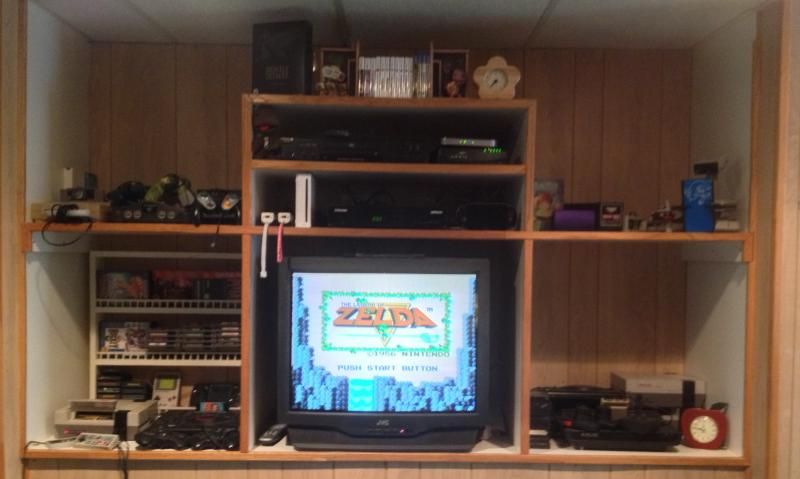
Got a retro room? Post it here!

Around the Network
Ssenkahdavic said:
raygun said:
Ssenkahdavic said:
raygun said:

Actually....1080i doesn't equal 720p, pixel wise. Maybe close if your just looking at one interlaced frame, but with 2 frames, 1080i is 1920x1080 pixels. Each interlace frame is 1920x540, but they are different interlaced slices of the total 1920x1080 frame. 720p is just 1280x720 pixels.

But, I don't think we can say that the "1920x1080p @ 59.94/60Hz (Top-and-Bottom) mode is interlaced, wouldn't they call it such? They are averaging every 2 vertical lines in a1920x1080 frame (subsampling) to end up with frames that are 1920x540. How can they call this a 1080p mode, I wonder? May be it's cross eye interlacing, the left eye gets the even lines, the right eye the odd lines? Seems I remember this being done in the past. 

Anyway, I would be totally content with a 1080p game running at 30hz, or better yet at 1080i at 60hz. 30 hz is what most console games run at anyway, and have trouble even getting that. Sure there's a few 60hz exceptions, StardustHD, WipeoutHD. But WipeoutHD, the sneaky bastards, uses 'variable horizontal resoulution', 1280 to 1920, and it still tears every now and then. 

Getting back to the OP, I personally am ready for a new TV, I like 3d, and will be buying one. It's either a panasonic vt20 or the new Vizio 480hz lcd's, depending on the reviews. A 60" laser or dlp is just too big for my apt., and I just saw the 3d adapter for samsung 3d dlp's listed at $300, without glasses. And i'm one of those people that notice the dlp rainbows.

You are confusing Hertz (Cycles per second) with FPS (frames per second)  While sometimes they are interchangable, for the most part they are not.  One is how many times your screen "redraws itself" per second (hz) and the other is how many different Frames are drawn Per second.  When they are equal (or FPS > Hz) a much smoother picture is born.


And for top/bottom (from page 7 on the 3D HDMI white sheet)

"For Top-and-Bottom, the original full left and right pictures are sub-sampled to half

resolution on the vertical axis. Sub-sampled pictures are arranged in Top-and-Bottom

layout. See Figure 8-6."

Ssenkahdavic, I mentioned the subsampling above," They are averaging every 2 vertical lines in a1920x1080 frame (subsampling) to end up with frames that are 1920x540" My point is how can they call this a 1080p format, when it's actually only 540p???? Do they just double the verticle lines at the tv to make it 1080p, or are they some how interlacing to get back up to 1080p? Just doubling the 540 to get back to 1080, then calling it 1080, is...lame.

I wasn't confusing the two, they are the same spec. applied to different things. 60hz refresh means 60 frames drawn per second. If a monitors refresh rate is 60hz, it's entire screen is redrawn 60 times a second. If a game runs at 320fps, and you have it hooked up to a 60hz monitor, your still only going to see 60 fps. I meant that if the maximum a tv could show was 1080p at 30hz, which is 30 1080 frames per second. That would be more than enough for 95 % of the games on consoles, that struggle to do even 720 at 30fps. 

Just read up on the 480hz refresh backlight trickery of those new Vizios coming next month, i'll just have to wait until the reviews come in.

Interlacing means every other line (odd then even) per pass (ie 2 cycles for 1 full frame).  This method is not interlacing anything.  The top is all the scan lines 1-540, just as the bottom is 1-540.  They call it top/bottom (one is on top of the other) and together they equal 1920x1080p (it does not say anywhere it is per eye, that is limited to framepacking)  This is still progressive since they are not interlacing anything in the signal.

Go and look at the framepacking example.  That is the only true way to get full 1080p PER eye.

Have you ever run a game at 320fps on a 60hz monitor (without a limiter) ?  They are in no way the same.  Your monitor will only redraw 60 times per second, but your machine is outputting 320frames in that same second.  This means that you are getting 4 frames per cycle (or only 1 in every 4 frames is being displayed).  What does this look like? Fast forwarding a movie.

fps is from source (computer, ps3, dvd player, etc)

refreshrate (in Hz) is from destination (monitor/tv/etc)

They are not interchangable unless they are equal.  (ie 30fps game will display 1frame per 2 cycles, while a 60fps game will display 1frame for every unique cycle, while a 120fps game will drop every other frame per cycle)


Ssenkahdavic: "They call it top/bottom (one is on top of the other) and together they equal 1920x1080p (it does not say anywhere it is per eye,"   Well, look at Figure 8-6 3D structure (Top-and-Bottom), it shows L on top, and Ron bottom! Am I, or are you, missing something? Which brings us back to my question, how can they call this a 1080p mode, when it's just 1920x540?

I'm totally aware of what 60hz means and 60fps means, your totally missing my point. I know what interlacing is, I know what FPS is, and I know what monitor refresh is. Your stating the obvious. If you do a timedemo in a game it removes the 60fps lock and runs the engine at full speed to give you the maximum average framerate that the engine can put out, and yes it looks like a speed up movie. This is all common knowledge. My point was this, most console games run at 30fps at 720p, if they can at all, and only a handfull have higher framerates/resolutions, SO, a tv that can only accept 1080p at up to 30hz is fine, most console games could not do that anyway! 


@ raygun

Here is a chart of resolutions these new 3D TVs support. This is not per eye, but total resolution that the singal will send to the TV. This has been posted and discussed on AVS forums as well as Nvidia 3D vision forums, and it is also listed in a samsung 3D TV manual... Only the first resolution which is used for bluray is true 1080p per eye @24hz.

3D Mode Input Compatiblity
Frame Packing 1080 (per HDMI) (Blu-ray) 1920 x 2205 24Hz
Frame Packing (per HDMI)
1280 x 1470 60Hz
Top/Bottom 1080p 24Hz 1920 x 1080
Top/Bottom 1080p 30Hz 1920 x 1080
Top/Bottom 1080p 60Hz 1920 x 1080
Top/Bottom 1080i 60Hz 1920 x 1080
Top/Bottom 720p 60Hz 1280 x 720
Side-by-Side 1080p 24Hz 1920 x 1080
Side-by-Side 1080p 30Hz 1920 x 1080
Side-by-Side 1080p 60Hz 1920 x 1080
Side-by-Side 1080i 60Hz 1920 x 1080
Side-by-Side 720p 60Hz 1280 x 720

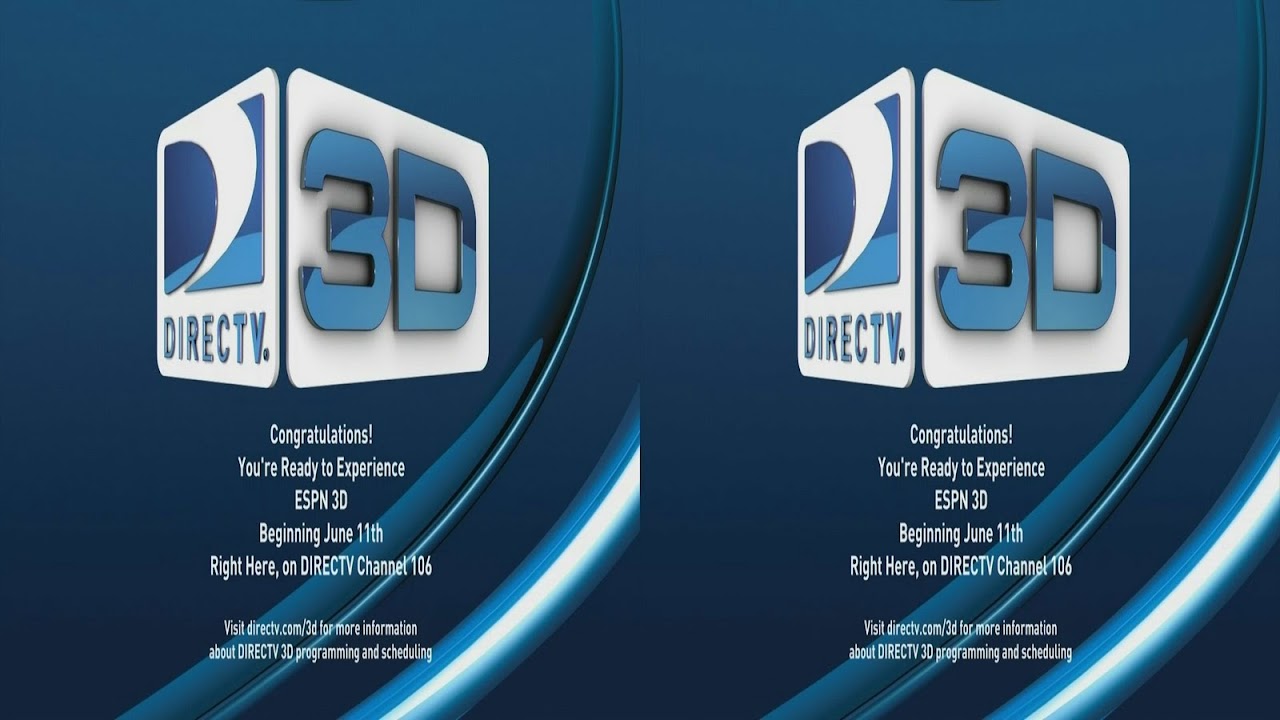
My guess is that 1080p top bottom means that you are getting 2 images which are not interlaced and are 1920x540 in resolution...both of which your TV will scale  in to a 16:9 resolution. Exactly how side to side is used for ESPN 3D seen in the pic below -


raygun said:


Ssenkahdavic: "They call it top/bottom (one is on top of the other) and together they equal 1920x1080p (it does not say anywhere it is per eye,"   Well, look at Figure 8-6 3D structure (Top-and-Bottom), it shows L on top, and Ron bottom! Am I, or are you, missing something? Which brings us back to my question, how can they call this a 1080p mode, when it's just 1920x540?

I'm totally aware of what 60hz means and 60fps means, your totally missing my point. I know what interlacing is, I know what FPS is, and I know what monitor refresh is. Your stating the obvious. If you do a timedemo in a game it removes the 60fps lock and runs the engine at full speed to give you the maximum average framerate that the engine can put out, and yes it looks like a speed up movie. This is all common knowledge. My point was this, most console games run at 30fps at 720p, if they can at all, and only a handfull have higher framerates/resolutions, SO, a tv that can only accept 1080p at up to 30hz is fine, most console games could not do that anyway! 


A good few people on these forums (and basically everywhere else) thinks of those two as the exact same (refresh vs fps) and for some reason it just irks me.  Glad to see you are not one of them (tho could have saved me a good bit of typing had I know it :)  You would be surprised how un"common" knowledge it is (tho it should not be)

They call it 1920x1080p because the final product (what you see in 3D) IS 1920x1080.  Try this out.  next time you are at a 3D movie, close one of your eyes.  What do you see?  You see a 2D image in the exact same resolution as the full feature (just without the 3D effects)  I am betting when we get Top/Bottom 1080p in 3D, and you close one of your eyes, you will see the same 1920 horizontal, but you will only get half of the visual data out of the vertical.  Your left eye see's 1920x540 on the top and the right on the bottom, but we do not see with only one eye, so in reality we are seeing both added together (just like how the human eye works).  

It is just like Checkerboard 3D.  In that method if the final product is 1920x1080, you are really only seeing 960x540 PER eye, like this:

12121212

21212121

(1 = left 2 = right)  Our brains are designed to function this way normally (adding things from right and left, front to back, etc to get a total)  This does not mean that it cannot work other ways (why pirates can function with only one eye :) 

the final product IS 1920x1080, even tho the data sent to each eye is only half of that (both vertically and horizontally).  Make sense?  Top/Bottom uses this same format, just in a different way (but our brain is smart enough to put it together...atleast for MOST people)

Now, with Framepacking (having 2 full 1080p signals for each eye) you will end up with more overall data at the end (double top/bottom).  This would be something siimalar to the different between 720p and 1080p.  The more data there is avalable, the better the quality of the picture is (whether you can see it or not does not matter, it is just the fact that it IS better)


Ssenkahdavic said:
raygun said:


Ssenkahdavic: "They call it top/bottom (one is on top of the other) and together they equal 1920x1080p (it does not say anywhere it is per eye,"   Well, look at Figure 8-6 3D structure (Top-and-Bottom), it shows L on top, and Ron bottom! Am I, or are you, missing something? Which brings us back to my question, how can they call this a 1080p mode, when it's just 1920x540?

I'm totally aware of what 60hz means and 60fps means, your totally missing my point. I know what interlacing is, I know what FPS is, and I know what monitor refresh is. Your stating the obvious. If you do a timedemo in a game it removes the 60fps lock and runs the engine at full speed to give you the maximum average framerate that the engine can put out, and yes it looks like a speed up movie. This is all common knowledge. My point was this, most console games run at 30fps at 720p, if they can at all, and only a handfull have higher framerates/resolutions, SO, a tv that can only accept 1080p at up to 30hz is fine, most console games could not do that anyway! 


A good few people on these forums (and basically everywhere else) thinks of those two as the exact same (refresh vs fps) and for some reason it just irks me.  Glad to see you are not one of them (tho could have saved me a good bit of typing had I know it :)  You would be surprised how un"common" knowledge it is (tho it should not be)

They call it 1920x1080p because the final product (what you see in 3D) IS 1920x1080.  Try this out.  next time you are at a 3D movie, close one of your eyes.  What do you see?  You see a 2D image in the exact same resolution as the full feature (just without the 3D effects)  I am betting when we get Top/Bottom 1080p in 3D, and you close one of your eyes, you will see the same 1920 horizontal, but you will only get half of the visual data out of the vertical.  Your left eye see's 1920x540 on the top and the right on the bottom, but we do not see with only one eye, so in reality we are seeing both added together (just like how the human eye works).  

It is just like Checkerboard 3D.  In that method if the final product is 1920x1080, you are really only seeing 960x540 PER eye, like this:

12121212

21212121

(1 = left 2 = right)  Our brains are designed to function this way normally (adding things from right and left, front to back, etc to get a total)  This does not mean that it cannot work other ways (why pirates can function with only one eye :) 

the final product IS 1920x1080, even tho the data sent to each eye is only half of that (both vertically and horizontally).  Make sense?  Top/Bottom uses this same format, just in a different way (but our brain is smart enough to put it together...atleast for MOST people)

Now, with Framepacking (having 2 full 1080p signals for each eye) you will end up with more overall data at the end (double top/bottom).  This would be something siimalar to the different between 720p and 1080p.  The more data there is avalable, the better the quality of the picture is (whether you can see it or not does not matter, it is just the fact that it IS better)

I think your missing the mark there, your confusing the placement of the frames in the bandwidth space with what you'll see on the screen. If you had a to portion of a 1920x1080 frame, 1920x540, going to one eye, and the bottom of half of the 1920x1080 frame going to the other eye, you wouldn't have any overlapping pixels, your right eye would see the bottom half of a screen, and your left eye would see the top half!

Basically, what I said, it might be some sort of cross eyed interlace, except it really describe the format as such. it just says the each eyes 1080 frame is subsampled to half resoulution vertical, it's not chopped, it's averaged down to 540. And the same thing happens to the other eye's frame. But it doesn't explain what the tv doe's with this, doe's it stretch each 540 frame back to 1080? Probably. Doe's each eye's frame subsample the whole vertical frame, or doe's it just give odd lines to the left eye and even lines to the right eye? It doesn't say that, that would be a cross eyed interlace (my description) which has been done before. So if it's just averaging down, then doubling back up on the tv, how can they call it a 1080p format? It's a 540p format upscaled to 1080p, right? I guess we will have to dig deeper for clarification on the top and bottom format. 



@raygun

Here is a site which explains what top/bottom 3D is as well as other formats.

Its basically what I said it was. No interlacing, but TV stretches it and then most likely upscales it to the displays native resolution...

http://www.practical-home-theater-guide.com/3d-tv-formats.html

"... vertical resolution that is reduced by half as the images for the left and right eye are stored on top of each other in a single frame; this latter set-up is referred to as Top/Bottom 3D."

 "The 3D processor inside the 3D TV will expand the corresponding half frame image into a full-size image for each eye in accordance with the native resolution of the HDTV.  "


However the article was written in april 2010 and is wrong about PS3 using top/bottom. PS3 uses 720p frame packing format, which is similar to top and bottom but not quite the same. Its still top and bottom layout but no upscaling is done by the TV... PS3 has to internally upscale the image to 720p (if the game isn't running natively at that res) and double it in order to send 1280x1440 video frame containing both left and right frames...after which TV shows 1280x720 image to each eye.