










DonFerrari said:
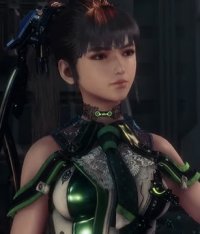
Nope it isn't zoomed in, that + is just because it recognizes that the source have more pixels than your monitor can show, so the first show is using a "fit the screen" size, which is zoomed out. When you click the + it show how it would look if you were looking on a proper resolution display. So you basically are switching things. You are not zooming in the image, you just had it zoomed out from start |
If it fills my screen, then it is full size, neither zoomed in nor out.
When I look at 720p content on this same screen, at screen-filling size, it looks nowhere near as pixelated as the pic in question.
Last edited by curl-6 - on 22 November 2020


