

curl-6 said:
Since stopping the car won't happen during normal gameplay it wouldn't really make sense to send your GPU cycles on details 99% of players will never notice. |
We could also use the pause
On purpose, shinen has made other comment that points even more the possibility of the use of tesselation
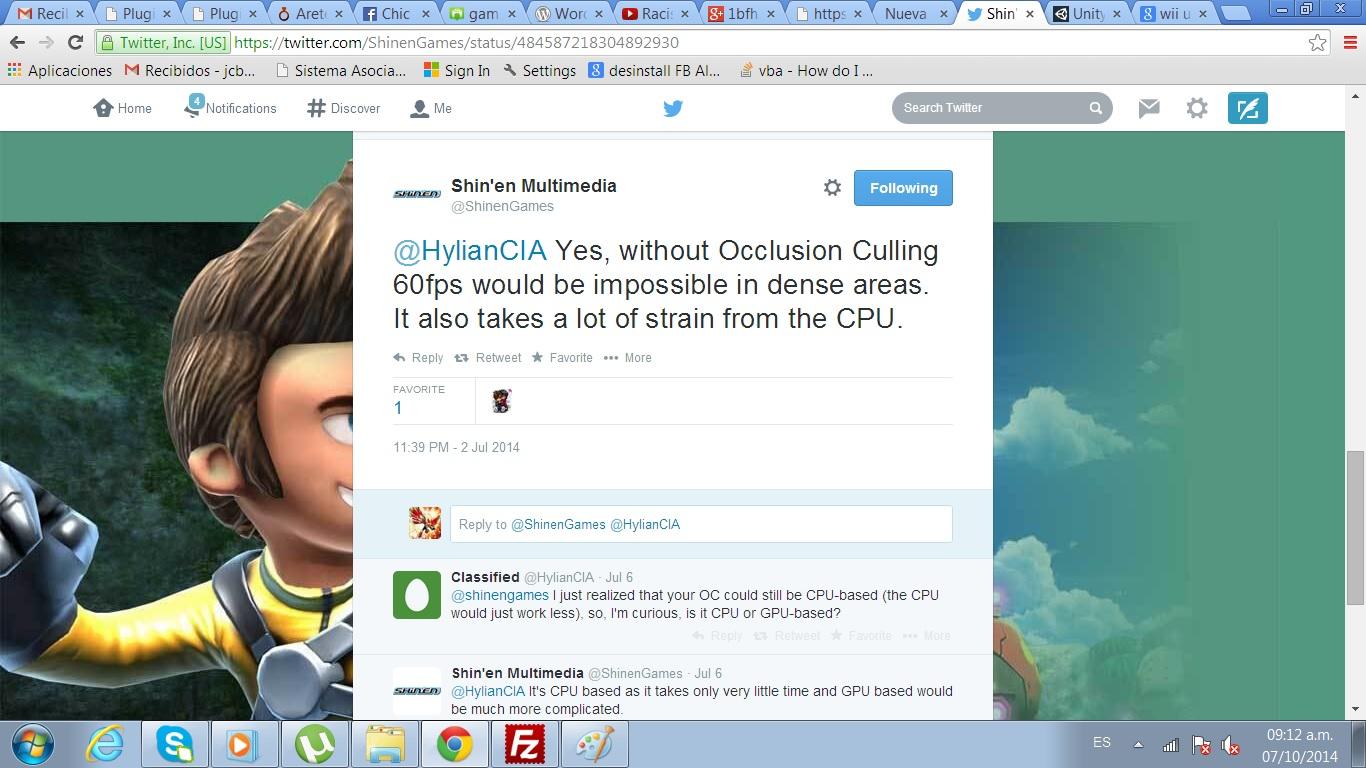
@HylianCIA Yes, without Occlusion Culling 60fps would be impossible in dense areas. It also takes a lot of strain from the CPU.
— Shin'en Multimedia (@ShinenGames) July 3, 2014
So whats occlusion culling?
http://http.developer.nvidia.com/GPUGems/gpugems_ch29.html
"
29.1 What Is Occlusion Culling?
Most graphics algorithms show us how to render something quickly, or how to make it look nice. Some techniques favor performance, while others aim for quality, but the challenge is how to strike a balance between the two.
Occlusion culling increases rendering performance simply by not rendering geometry that is outside the view frustum or hidden by objects closer to the camera. Two common types of occlusion culling are occlusion query and early-z rejection.
This chapter examines the occlusion query and how to use it properly, including two examples proving how efficient occlusion culling can be. Because one of the examples relies heavily on the usage of bounding boxes, these will also be covered, just to make things more understandable.
"
http://geck.bethsoft.com/index.php?title=Occlusion_Culling
"
Occlusion Culling
This article is an adaptation of a technical document from the development of Fallout 3. As such, it may contain some features or functionality not available in the retail release of Fallout 3, but is included here for education and posterity.
Purpose
The purpose of occlusion culling is to find geometry that has zero effect on the final render buffer because it is behind other geometry, and eliminate that geometry as early in the render process as possible to reduce wasted cpu and gpu time.
Occlusion Planes
Overview
An Occlusion plane is a surface created and placed in the editor. A computation is done every frame testing each multibound shape against each occlusion plane. If a multibound is occluded, it is not rendered.
Example
This example tries to show how this system would be applied to the cell ChevyChaseMetroEntrance (Found in DCworld01). Here we are working on two specific areas that have a lot of detail, they are blocked out in multibounds, drawn here in blue. Also, an occlusion surface (in green) has been added in the building to the right, as it can be used to block many objects behind it.

1st person view
In the overhead view below we can see how the view frustum (light blue) and occlusion frustum (yellow) overlap. The occlusion frustum is formed by projecting the occlusion surface out from the camera position.

"
I dont see the purpose of occlussion culling if what they were rendering wouldnt consume a lot gpu power to render true geometry and not just fake it