









I'm almost certain its the power supply.
As for replacing it, its pretty easy.
Step by Step:
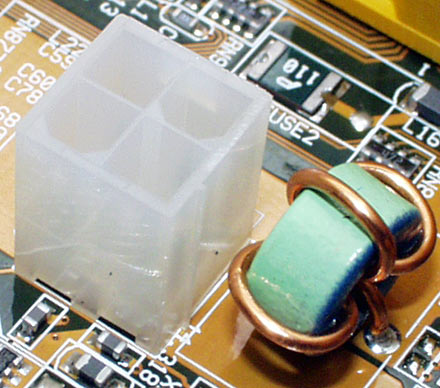
1) Unplug the PSU cable from the motherboard and note its size and shape for later. Repeat this process for all attached Hard Drives, DVD/CD drives, Video Cards (if applicable), Floppy Drives, and the smaller power connector for the motherboard as well as disconnecting it from any fans.
2) Remove the four screws from the rear of the case that hold your PSU in place and then carefully remove it from the case without knocking it into other components (not to tough).
3) Carefully place the new PSU into the case and install with the 4 screws that came with it (if it didn't come with screws you can use the old ones but intended screws are preferable).
4) Replace the power connections from step 1 to all of your parts. (See below for help).
| Main Connector | |
 |  |
**Note** - Count the number of pins on your motherboar's main power connnector (depicted on the right above). It should either be 20 or 24 pins. If you look at the picture on the left it has 20 pins and then 4 loose pins, this is called a 20+4 main power connector because it works for either type (ie 20 or 24 pin boards). So getting a PSU with a 20+4 pin connector is probably a safe bet. | |
| P4 Connector | |
 |  |
| Molex Connector | |
 |  |
| SATA Connector | |
 |  |
| PCI-E Connector | |
 | 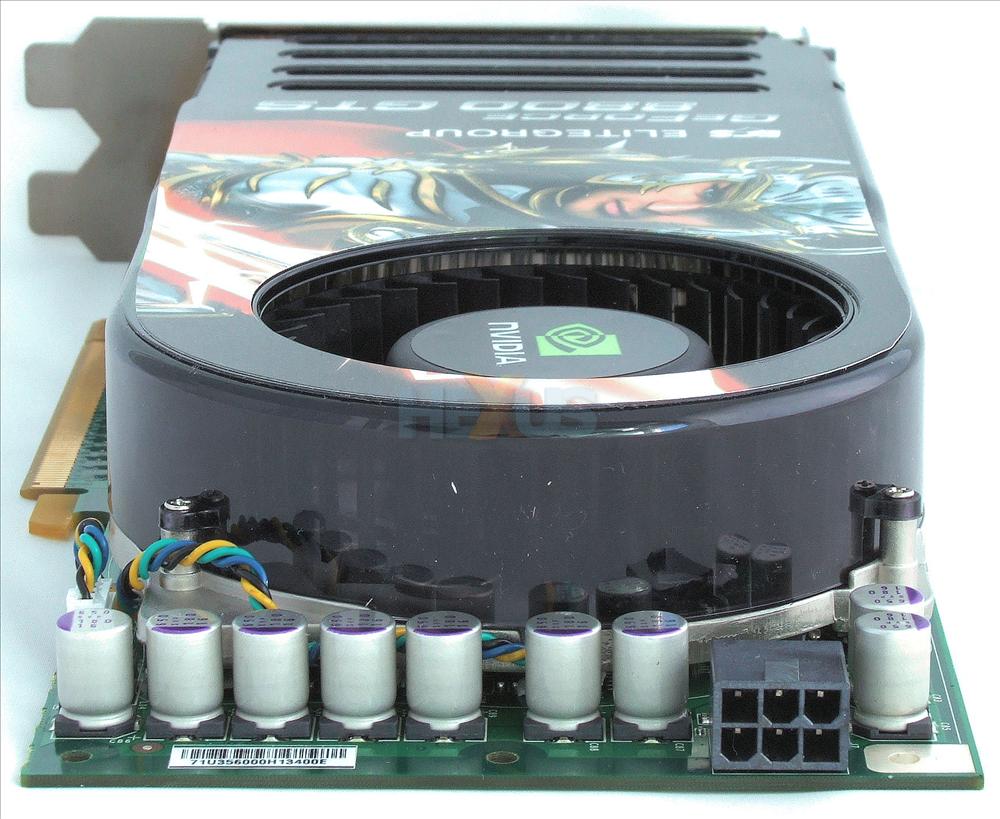 |
| **NOTE** - It is very likely your video card does not require additional power through a PCI-E connector. This is only seen in the newer very power hungry video cards so if its not there then you don't need to worry =) | |
| Floppy Power Connector | |
 |  |
| Click to enlarge any image. |
As you should be able to see from all of these pictures its not really an issue of being able to plug something in incorrectly. All of the cables only go one way and they only fit where they are meant to. So pretty much just noting which pieces are connected to which types of power connectors is enough to reconnect everything.
 |
| To Each Man, Responsibility |


