

I have to say the the guy that made the resolution fix is a bloody legend for all the work he has put into improving this game. He just keeps on adding cool stuff, I have no regrets tossing a few bones his way.
His latest update
This release fixes the following bugs:
- fixed dynamic shadows being cut off in some areas
- fixed some icons still not correctly hidden by Hud toggle
And adds these features:
- HUD scaling
- HUD opacity settings (per component)
- Minimalistic HUD mode (removes the weapons and item/spell name display)
All the HUD options can be set in the ini and HUD manipulation can be toggled at runtime. Note that there are still some issues with the HUD manipulation, including damage number placement being incorrect and subtitle rendering not being handled. Also, poison and bleeding build-up is not displayed correctly, and neither are boss health bars. Additionally, I observed an unusually high performance impact at high resolutions that I don’t really understand yet.
Note that you can define a toggle key to quickly turn HUD modifications on and off in case there are issues.
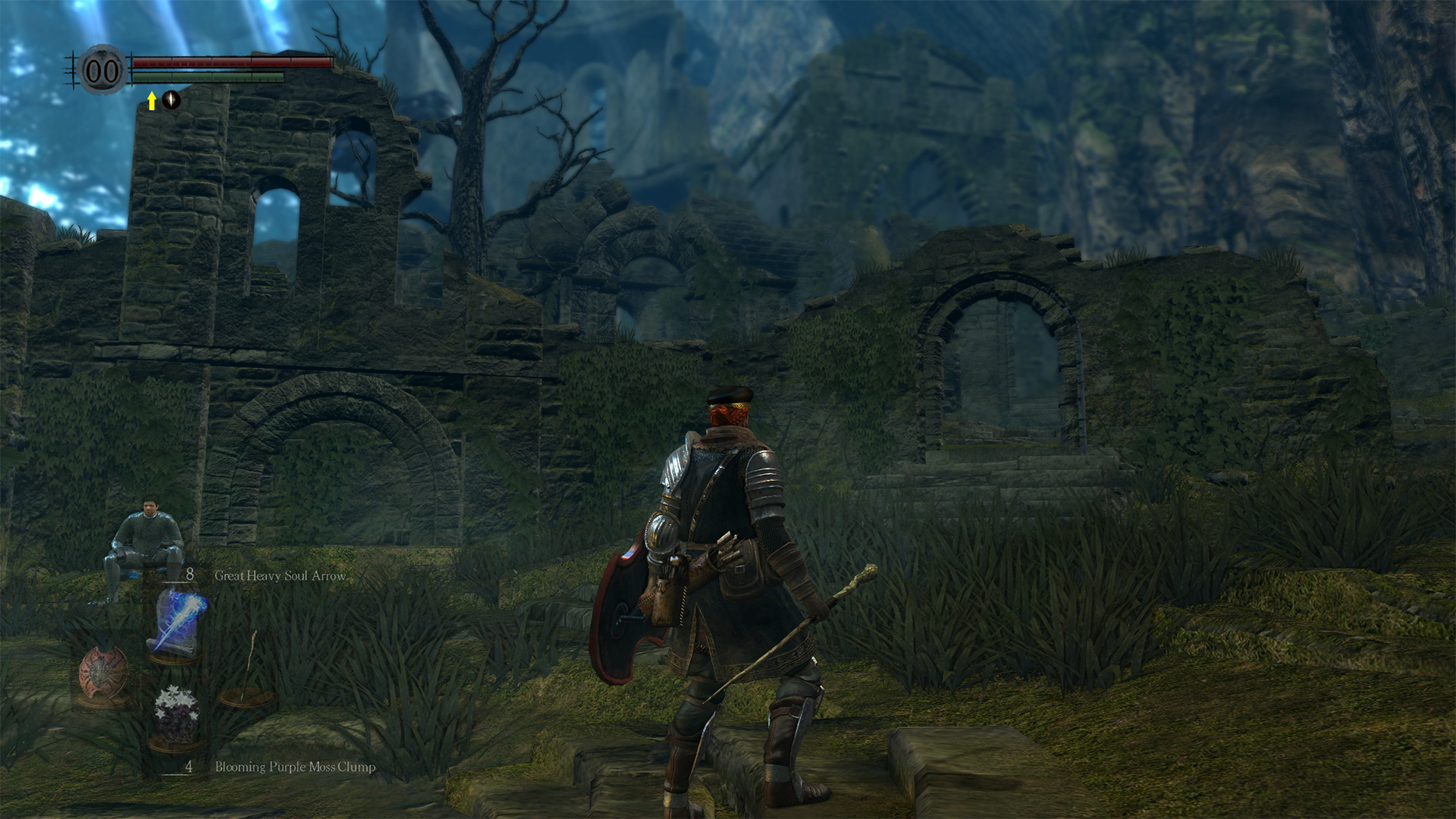
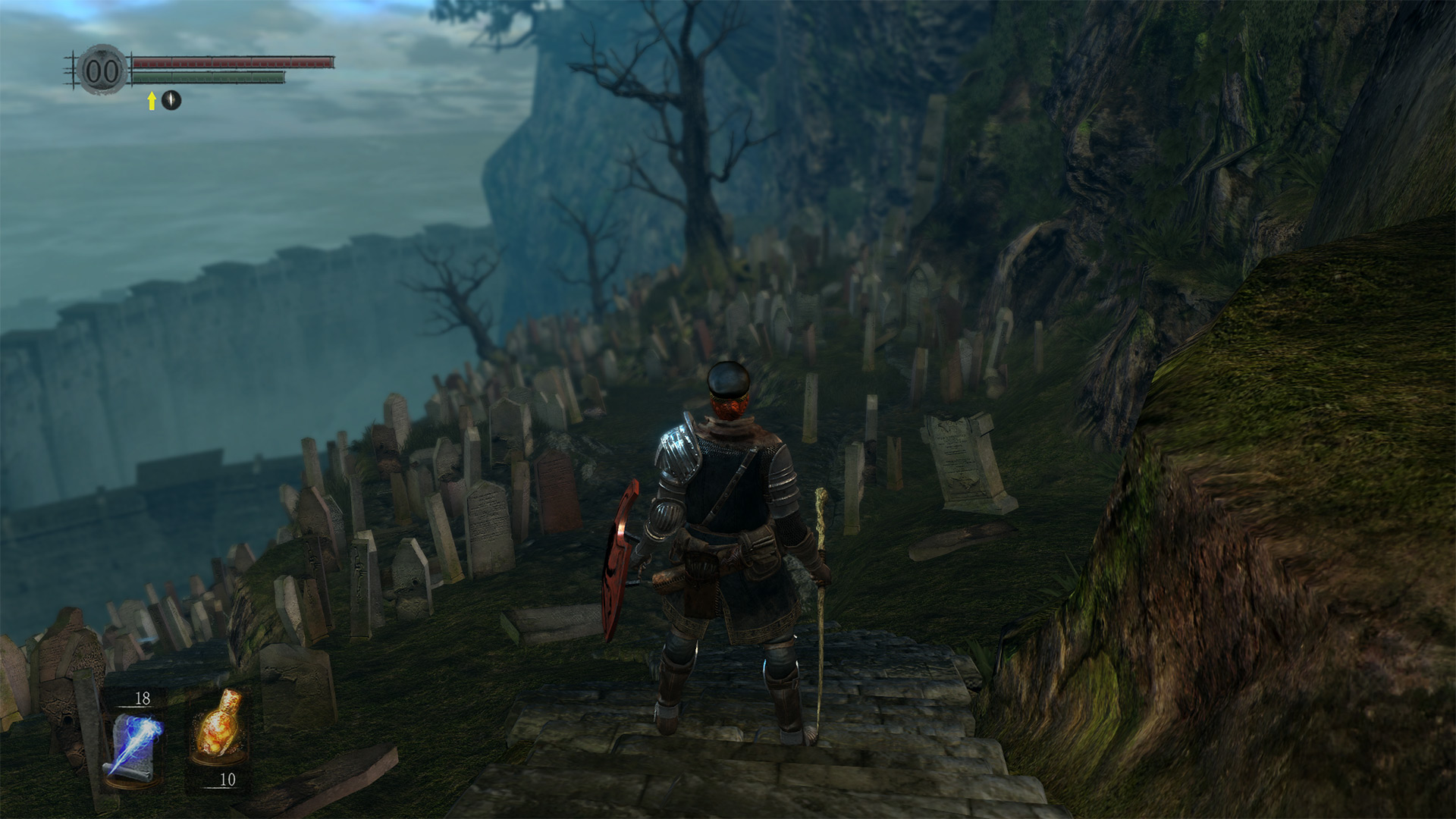
Here are 2 screenshots showing off the HUD features:
- Scaled to 2/3, health bar opacity 1, items opacity 0.5, souls opacity 0
- Minimalistic HUD mode, scaled to 2/3, health bar opacity 0.8, items opacity 0.8, souls opacity 0
Check out the DarkSoulsMod sub-reddit for a nice archive of texture replacements people have created so far. I especially like the high-res font replacement. My nickname there is DuranteA.
http://blog.metaclassofnil.com/

 @TheVoxelman on twitter