By using this site, you agree to our Privacy Policy and our Terms of Use. Close

Forums - Gaming - How do i update my trophy card?

I've been having this trophy card for about 3 weeks and i got some other new trophies and another 3 platiniums last week but those trophies dont show up on my trophy card. It stil says i am level 8 but i am level 9 now. Any help?


Around the Network

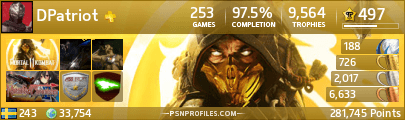
If u want an auto trophy card just hit my sig i think this one is best.


@tbone That's not completely auto either

@BladeofGod
Go to eu.playstation.com and sign in with your PSNID and you can make a trophy card.

You can then click on my sig, which brings you to a site where you can make a card with your own picture, which is automatic based on your PSNID.
In order to update these cards, sometimes, you need to go to eu.playstation.com and go to your trophy card page. At the bottom you will see a box that says "update". Simply hit that and your new trophy card as well as your official trophy card, will be updated.

Note: My trophy card says "automatic" on it, which basically means that I didn't enter trophy information myself, in case you care about looking legitimate.



@theprof00
it says ''Validating your PSN ID, please wait''. I waited for like 30 minutes and its still not done. You know what the problem is?


Theproof.

U just log into to it and update the trophycard simple as that.


Around the Network

where?
at eu.playstation.com?

I would say bad connection then. I'll be on when I get to work in about an hour, so I'll check around on google.