By using this site, you agree to our Privacy Policy and our Terms of Use. Close

Forums - PC - 3D Gaming is Here! All it takes is a super PC and $$$$

I know someone who set something like this up on a projector awhile back and told me it was awesome. You can buy scenes/settings to walkthrough like the moon or a rainforest. He can't use it any more because Nvidia no longer support something or other, can't remember exactly.

Not sure if this could work on a projector but I don't see why not. Lots of large HDTVs support 120Hz these days too. Maybe I won't be going with ATI next time round unless they have something similar.

Never thought about the Wii being able to use this, I wonder if they could double the framerate on Wii boxing easily.


Nov 2016 - NES outsells PS1 (JP)

Don't Play Stationary 4 ever. Switch!

Around the Network
NJ5 said:
...

But we're talking about driver changes. Drivers are not written with either of these, they're much more low-level. What's more, this looks like it's game specific so I'm thinking the changes in the drivers aren't that trivial.

Note that they have to somehow make the game render two different cameras per frame. I'm not sure how they're accomplishing that in the drivers, just going by the information in the website.


Oh. Well, the technology is more limited than I thought. I think ATI could (and will) add this feature to their drivers if they see support increase. I think it's a short-lived gimmick though.


Grampy said:
Slimebeast said:
NJ%, good explanation of the tech, but I still don't understand the need for 120Hz/FPS. Since most games are playable at 30FPS, one would think only 60Hz should be needed.

The slower the frame rate the more likely you will see the shutter change as a flicker. At 30 fps (15 frames per eye) you would definately experience a noticable flicker that would proabaly be very unpleasant. When I saw the technology years ago on standard video 24 fps interlaced (24 fps per eye) the flicker was just noticable although not too distracting. 120 fps (30 fps per eye) would make it totally invisible and keep the game flowing smoothly.


 Don't you mean 60 fps per eye?


disolitude said:
Grampy said:
Slimebeast said:
NJ%, good explanation of the tech, but I still don't understand the need for 120Hz/FPS. Since most games are playable at 30FPS, one would think only 60Hz should be needed.

The slower the frame rate the more likely you will see the shutter change as a flicker. At 30 fps (15 frames per eye) you would definately experience a noticable flicker that would proabaly be very unpleasant. When I saw the technology years ago on standard video 24 fps interlaced (24 fps per eye) the flicker was just noticable although not too distracting. 120 fps (30 fps per eye) would make it totally invisible and keep the game flowing smoothly.


 Don't you mean 60 fps per eye?

Mutant hater what if the guy has 4 eyes o_O


"After you win, son, I feel like going for a ride on your bike, haha." ~Doc Louis (Punch Out Wii)


^LOL


Around the Network
disolitude said:
Grampy said:
Slimebeast said:
NJ%, good explanation of the tech, but I still don't understand the need for 120Hz/FPS. Since most games are playable at 30FPS, one would think only 60Hz should be needed.

The slower the frame rate the more likely you will see the shutter change as a flicker. At 30 fps (15 frames per eye) you would definately experience a noticable flicker that would proabaly be very unpleasant. When I saw the technology years ago on standard video 24 fps interlaced (24 fps per eye) the flicker was just noticable although not too distracting. 120 fps (30 fps per eye) would make it totally invisible and keep the game flowing smoothly.


 Don't you mean 60 fps per eye?

Yes, my bad, I'm the world's worst typer.


Damn, a Geforce combo right after I crossfired 4 Radeon HD4870 X2's... =/


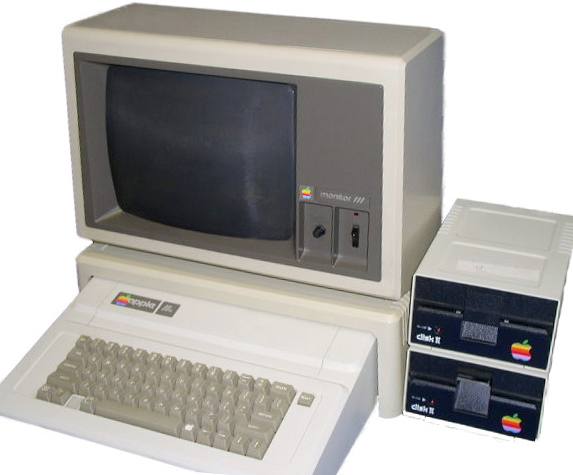
Ok...so here is the full next gen experience that money can buy.

1. You need one of these...best and fastest model you can buy


2. You need one of these that supports 120 HZ


3. You need the Nvidia Gforce 3D vision

4. You need one of these for FPS games and motion controls


And you're done!


theres was already a 3d game for the psp, but people didnt like it


Pyro as Bill said:
I know someone who set something like this up on a projector awhile back and told me it was awesome. You can buy scenes/settings to walkthrough like the moon or a rainforest. He can't use it any more because Nvidia no longer support something or other, can't remember exactly.

Not sure if this could work on a projector but I don't see why not. Lots of large HDTVs support 120Hz these days too. Maybe I won't be going with ATI next time round unless they have something similar.

Never thought about the Wii being able to use this, I wonder if they could double the framerate on Wii boxing easily.

In a way it's simpler because they don't have to. When you look at the Wii's standard outputs 480p (PAL/NTSC), 480i (NTSC) or 576i (PAL/SECAM), there is an interlace "i" format for both NTSC  and PAL. With an interlace you can get a right and left image in each complete frame so effectively the rate remains the same and the GPU doesn't have extra work. If they want 480 then they would have to double the rate.

Also they already have infrared lights, six in fact, which could carry a synch. This is purely wild speculation on my part but Shaun Malstrom, who always seems to know a lot about such things, claimed the Wii  had something already in it that we didn't know about. Since this technology has been well known for years and sending a video synch signal to the sensor bar is electronics 101, who knows. At least it would explain why the Wiimote has to do the triangulation of the infrared LEDs in the bar since the intuitive way would be to have the bar triangulate a LED in the Wiimote.