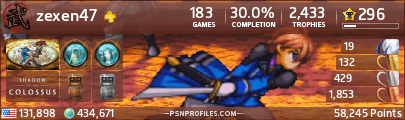
sweetness TalonMan, thats really cool.
and Skeezer those are Fantastic! Really good work!
"Let justice be done though the heavens fall." - Jim Garrison
"Ask not your horse, if ye should ride into battle" - myself
sweetness TalonMan, thats really cool.
and Skeezer those are Fantastic! Really good work!
"Let justice be done though the heavens fall." - Jim Garrison
"Ask not your horse, if ye should ride into battle" - myself
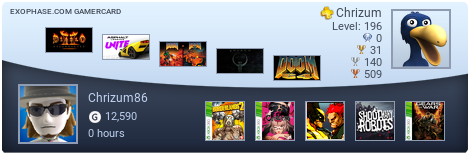
Great job. Enjoyed making mine (though I think it's a little too big).
A question though: why do I get a 404 error when I click on my sig?
Is there one where I can have my PSN ID, Xbox Live Gamertag and Wii Friend Code in one sig?
TalonMan said:
It looks like you changed the link? It should be: http://www.vgchartz.com/profiles/profile.php?id=14800 right now it's pointing at http://www.vgchartz.com/forum/profile.php?id=14800 which is incorrect... |
actually, changing it probably won't work, as I've tried this before and it automatically sticks that /forum in front of the /profile.php...
So if you type in the whole thing http://www.vgchartz.com/profiles/profile.php?id=14800 it then strips off the http://www.vgchartz.com/ and just stores profiles/profile.php?id=14800
It then proceeds to add on the forum/

| xlost7 said: Is there one where I can have my PSN ID, Xbox Live Gamertag and Wii Friend Code in one sig? |
sure, just add the codes to your profile, and then just set up the sig however you want. You can even add a steam id.

nordlead said:
actually, changing it probably won't work, as I've tried this before and it automatically sticks that /forum in front of the /profile.php... So if you type in the whole thing http://www.vgchartz.com/profiles/profile.php?id=14800 it then strips off the http://www.vgchartz.com/ and just stores profiles/profile.php?id=14800 It then proceeds to add on the forum/ |
So is there any easy way to change it?
dingbats is awesome
How if only we could get the google yarr! language....
And that's the only thing I need is *this*. I don't need this or this. Just this PS4... And this gaming PC. - The PS4 and the Gaming PC and that's all I need... And this Xbox 360. - The PS4, the Gaming PC, and the Xbox 360, and that's all I need... And these PS3's. - The PS4, and these PS3's, and the Gaming PC, and the Xbox 360... And this Nintendo DS. - The PS4, this Xbox 360, and the Gaming PC, and the PS3's, and that's all *I* need. And that's *all* I need too. I don't need one other thing, not one... I need this. - The Gaming PC and PS4, and Xbox 360, and thePS3's . Well what are you looking at? What do you think I'm some kind of a jerk or something! - And this. That's all I need.
Obligatory dick measuring Gaming Laptop Specs: Sager NP8270-GTX: 17.3" FULL HD (1920X1080) LED Matte LC, nVIDIA GeForce GTX 780M, Intel Core i7-4700MQ, 16GB (2x8GB) DDR3, 750GB SATA II 3GB/s 7,200 RPM Hard Drive
Chrizum said:
So is there any easy way to change it?
|
Actually, I made a slight mistake. It only saves profiles.php?id=14800, but either way, you end up getting the wrong path. There is no way that I have discovered to link to a profile correctly if you use an image. I tried multiple times to get a link to skeezers profile on the image he made for me.
you could provide a text link, but that is sort of stupid, as they can just click your name.

nordlead said:
Actually, I made a slight mistake. It only saves profiles.php?id=14800, but either way, you end up getting the wrong path. There is no way that I have discovered to link to a profile correctly if you use an image. I tried multiple times to get a link to skeezers profile on the image he made for me. you could provide a text link, but that is sort of stupid, as they can just click your name.
|
But it seems I'm the one who made a mistake, as all other signatures do link correctly to the profile. Just mine doesn't.
Well, it isn't a big deal of course. 
Chrizum said:
But it seems I'm the one who made a mistake, as all other signatures do link correctly to the profile. Just mine doesn't. |
I want to know that too, all the sigs link to profile, mine didn't (it didn't link, nothing happened when I clicked), so I manually added a hyperlink, but now I have a blue rectangle around my sig