By using this site, you agree to our Privacy Policy and our Terms of Use. Close

Forums - Sony - Got a UHD HDR TV, a PS4 Pro, and a PSVR? I've got some bad news...

d21lewis said:
My current Setup:

49 inch Sony Bravia (DVR 49x800d) with 4 HDMI ports
Dish Network Receiver
PlayStation 3
Xbox 360
Sony STR-DH750 amp (with 4 HDMI inputs and one HDMI out)
PlayStation 4
Xbox One
WiiU
PC

The loss of VGA cable support forced me to hook my PC up to a second monitor. I bought a converter but decided not to bother with it.

The PS3, Xbox 360, and Dish Network all run into the Sony amp (with Bose surround sound system). The HDMI out runs into a splitter. One HDMI runs into the back of my Xbox One. The other runs into HDMI 1 of the TV. I can switch between consoles/TV using the amp. No noticeable degrade when playing games on TV.

Xbox One gets HDMI 2
PS4 gets HDMI 3
WiiU gets HDMI 4--which is noticeably less capable than the other HDMI ports

PSVR obviously connected to PS4 (with camera)
Kinect is connected to Xbox One

Simple!

(This is totally if e topic but I like thinking about it!)

Does you wife hate you when she simply wants to watch tv :)
How do you get the sound from XBox One and PS4 on your amp?
ARC channel and optical out are all limited afaik. (my 1080p tv only returns stereo as audio out, useless)

My spaghetti setup in the livingroom is
Yamaha RX-V473 (stop gap receiver until I find a good hdmi 2.0a receiver, this one can't quite deliver full power to my speakers)
HDPVR (cable receiver), PS3, PS4, WiiU connected by HDMI via receiver on HDMI 1 on tv
PS2 connected with component video and optical audio via receiver on component 1 on tv (receiver doesn't convert component to hdmi)
DVD player connected with component video and coaxial digital audio via receiver on component 1 on tv
LaserDisc player connected with S-VHS and optical audio via receiver upscaled to hdmi (LaserDisc player is broken however)

I've got another color coded hdmi cable in the av unit, direct connection to HDMI 2 on tv in case I want to play ps4 while listening to another hdmi source. Stupid receiver can only mix audio of non HDMI sources with a HDMI source, no direct HDMI audio swapping. But as a slight advantage I still get the game sound over tv speakers while listening to my music without needing spotify.

Together with the cable mess of 5 speakers, and a subwoofer which has it own voltage upconverter (sub runs on 220v), ps eye, ps4 cam, wii U sensor bar (for Wii compatibility), wii U cradle, iPod, Controller charge cables, power cables, extension cords, it's an epic mess behind the av cabinet.

1st world problems!

(oh forgot the coaxial cable to tv for Intellivision 2)



Around the Network
twintail said:
http://www.neogaf.com/forum/showthread.php?t=1304983

Just for you OP :)

enjoy your VR

that looks extremley lame to do everytime, you actually need something like this which duplicates the signal

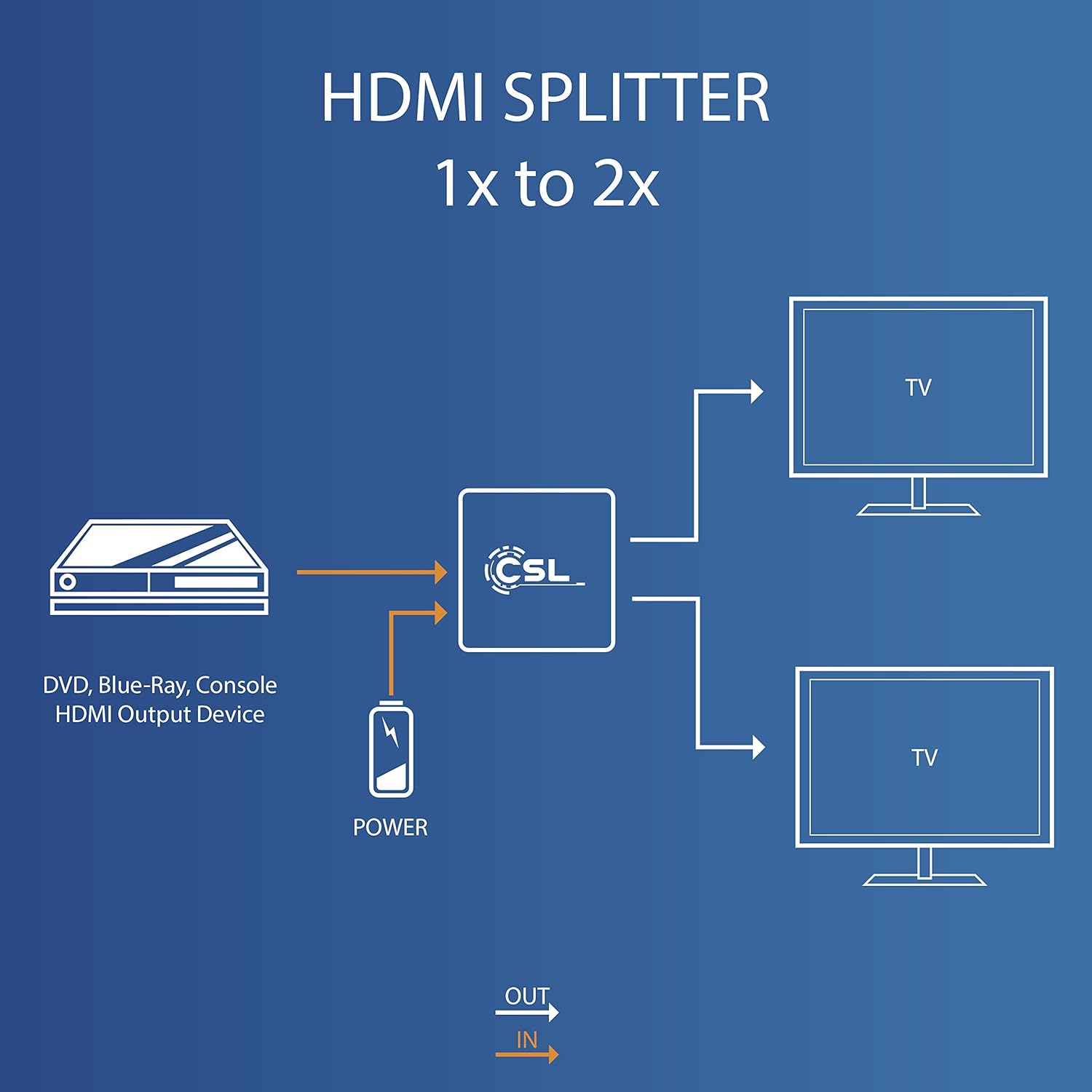
https://www.amazon.de/CSL-Splitter-Verteiler-vergoldete-Metallgehäuse/dp/B01615JA3A/ref=sr_1_1?s=ce-de&ie=UTF8&qid=1478315430&sr=1-1&keywords=HDMI+4k+verteiler


SvennoJ said:
d21lewis said:
My current Setup:

49 inch Sony Bravia (DVR 49x800d) with 4 HDMI ports
Dish Network Receiver
PlayStation 3
Xbox 360
Sony STR-DH750 amp (with 4 HDMI inputs and one HDMI out)
PlayStation 4
Xbox One
WiiU
PC

The loss of VGA cable support forced me to hook my PC up to a second monitor. I bought a converter but decided not to bother with it.

The PS3, Xbox 360, and Dish Network all run into the Sony amp (with Bose surround sound system). The HDMI out runs into a splitter. One HDMI runs into the back of my Xbox One. The other runs into HDMI 1 of the TV. I can switch between consoles/TV using the amp. No noticeable degrade when playing games on TV.

Xbox One gets HDMI 2
PS4 gets HDMI 3
WiiU gets HDMI 4--which is noticeably less capable than the other HDMI ports

PSVR obviously connected to PS4 (with camera)
Kinect is connected to Xbox One

Simple!

(This is totally if e topic but I like thinking about it!)

Does you wife hate you when she simply wants to watch tv :)
How do you get the sound from XBox One and PS4 on your amp?
ARC channel and optical out are all limited afaik. (my 1080p tv only returns stereo as audio out, useless)

My spaghetti setup in the livingroom is
Yamaha RX-V473 (stop gap receiver until I find a good hdmi 2.0a receiver, this one can't quite deliver full power to my speakers)
HDPVR (cable receiver), PS3, PS4, WiiU connected by HDMI via receiver on HDMI 1 on tv
PS2 connected with component video and optical audio via receiver on component 1 on tv (receiver doesn't convert component to hdmi)
DVD player connected with component video and coaxial digital audio via receiver on component 1 on tv
LaserDisc player connected with S-VHS and optical audio via receiver upscaled to hdmi (LaserDisc player is broken however)

I've got another color coded hdmi cable in the av unit, direct connection to HDMI 2 on tv in case I want to play ps4 while listening to another hdmi source. Stupid receiver can only mix audio of non HDMI sources with a HDMI source, no direct HDMI audio swapping. But as a slight advantage I still get the game sound over tv speakers while listening to my music without needing spotify.

Together with the cable mess of 5 speakers, and a subwoofer which has it own voltage upconverter (sub runs on 220v), ps eye, ps4 cam, wii U sensor bar (for Wii compatibility), wii U cradle, iPod, Controller charge cables, power cables, extension cords, it's an epic mess behind the av cabinet.

1st world problems!

(oh forgot the coaxial cable to tv for Intellivision 2)

I love it!

And no, that's just the game room. The living room only has an Xbox 360 and and Xbox One and another Sony amp. I finally disconnected the Ouya and PSTV since they weren't really getting used...BUT on November 10th, a PS4 is going to mysteriously appear in the living room. She won't suspect a thing!

*edit* I get the sound to the amp by running the consoles into the TV and using an optical audio cable from the TV to the amp. Basically, if it's on screen and I select TV, I'm good. Only problem is sometimes the audio and video are slightly out of sync depending on which settings i use.


Ruler said:
twintail said:
http://www.neogaf.com/forum/showthread.php?t=1304983

Just for you OP :)

enjoy your VR

that looks extremley lame to do everytime, you actually need something like this which duplicates the signal

https://www.amazon.de/CSL-Splitter-Verteiler-vergoldete-Metallgehäuse/dp/B01615JA3A/ref=sr_1_1?s=ce-de&ie=UTF8&qid=1478315430&sr=1-1&keywords=HDMI+4k+verteiler

I've already got a couple of splitters. One for my two gaming setups. The issue arrives when it comes to finding an affordable spiltter that still supports HDR. I'm sure they'll come down in price soon, though.


Ruler said:
twintail said:
http://www.neogaf.com/forum/showthread.php?t=1304983

Just for you OP :)

enjoy your VR

that looks extremley lame to do everytime, you actually need something like this which duplicates the signal

https://www.amazon.de/CSL-Splitter-Verteiler-vergoldete-Metallgehäuse/dp/B01615JA3A/ref=sr_1_1?s=ce-de&ie=UTF8&qid=1478315430&sr=1-1&keywords=HDMI+4k+verteiler

There are several problems with that, first a HDR compatible splitter is $160 or more. That one only supports 4K at 30fps
https://www.pulse-eight.com/p/177/1x2-hdmi-20a-hdmi-20b-splitter-with-hdcp-22-support

Plus according to avs forum, a splitter will conform to the lowest common denominator of the connected devices
http://www.avsforum.com/forum/143-general-gaming-help/1452009-input-lag-receivers.html#post24242866
But that may be circumvented by simply turning off the power to the processing unit. When it's on it will inform the splitter it can only do hdmi 1.4, which will tell your ps4 to switch down to 1.4. You actually need an image duplicator, as found on higher end receivers with dual hdmi out, so each stream can run with its own settings. So for $163 you still need to unplug the power to the processing unit to get 4K HDR on the tv :/


Around the Network
d21lewis said:
Burning Typhoon said:

Do you really complain about that?  I have 9 consoles and a PC that i use for gaming.  Almost every gaming session I have, I have to fiddle around with HDMI cables, and I have to use converters for my older consoles, like PS2, Sega Saturn, ETC.  I would love to be in your situation, lol.

I refuse to play on anything other than my 24 inch 1ms gray to gray monitor.  I don't care that it's not an IPS monitor, I want screen lag to a minimum. So, no 4k, no HDR, no ultra wide.  Just 1080p and a lagless display.

But, just saying... You've got it good.


My PS1, 2, and JP PS2 can all use the same video cable, but not the same power cord.  Everything else uses a different power and video cable, except for the HD consoles.

I can't even have access to 4k, HDR, and all that other stuff, because of display lag.  I refuse to play on anything other than my 2c

I guess everything is relative. I'll count my blessings. And who knows? I'll probably come up with some sort of solution once I have everything in front of me. I'm usually pretty clever and creative when it comes to av stuff. I usually get the result that I want.

I don't want to use switches for all my consoles.  That would mean buying multiple of the same cables, and possible added screen lag..  No thanks, lol.


But, here is my current set-up

HDTV, which is used for WEB BROWSING only.  34ms screen delay is rediculous. My 1ms G2G has 9MS delay.

Computer

Which is linked to a main HDMI hub (external) via the internal Capture card to my consoles.

I have two usb hubs that I do not use together.  One has a scart input to HDMI, and the other is an HDMI splitter which gets around the PS3 and PS4's HDCP.

PS3 and PS4 and PSTV use the same HDMI and eithernet cables.

However, as for all of my old consoles,

Sega Genesis, Sega Saturn, Sega Dreamcast, PS1, PS2, JPNPS2, some of them remain plugged in.  The genesis doesn't, because the brick is always drawing power.. The sega dreamcast, PS1, PS2, and sega saturn all use the same power cord. The Japanese PS2 doesn't.  Eventhough I only use fat PS2 models they decided to go with a different power cord in Japan.  Everything is plugged into an 8 socket heavy duty surge protector.

the scart to HDMI goes to my capture card, the capture card's HDMI is going into my gaming monitor.  Which is set up as monitor 1 of 3, which means, I have to make sure to move all my stuff over to monitor 2 if i wanna see it while gaming.Monitor 3, is use mainly for screen captured special effects.


But, yeah, I can't just turn on a console and start gaming. Did I mention I must have my computer turned on to power the capture card or else I wont get a video signal to begin with?  


TL;DR

So basically, unless I'm going to play the currently connected console, I have to probably unplug something, switch the converter box, switch the video cable and plug in the console I want to play while having my computer on.


The only possible solution is to buy 2 PS4 Pros. Sony is smart by doing this. Knowing how people are lazy to disconnect cables to get benefits. Either that or they know VR isn't here to stay and will eventually be taken out of the loop. Or make it even more tempting to buy an upgraded model that has proper passthrough. What is it Sony? What is it?! Maybe HDR was an afterthought after Xbone made it a big deal? So it wasn't even designed with that in thought.


VGChartz♥♥♥♥♥FOREVER

Xbone... the new "N" word   Apparently I troll MS now | Evidence | Evidence
Burning Typhoon said:

But, here is my current set-up

HDTV, which is used for WEB BROWSING only.  34ms screen delay is rediculous. My 1ms G2G has 9MS delay.

Computer

Which is linked to a main HDMI hub (external) via the internal Capture card to my consoles.

I have two usb hubs that I do not use together.  One has a scart input to HDMI, and the other is an HDMI splitter which gets around the PS3 and PS4's HDCP.

PS3 and PS4 and PSTV use the same HDMI and eithernet cables.

However, as for all of my old consoles,

Sega Genesis, Sega Saturn, Sega Dreamcast, PS1, PS2, JPNPS2, some of them remain plugged in.  The genesis doesn't, because the brick is always drawing power.. The sega dreamcast, PS1, PS2, and sega saturn all use the same power cord. The Japanese PS2 doesn't.  Eventhough I only use fat PS2 models they decided to go with a different power cord in Japan.  Everything is plugged into an 8 socket heavy duty surge protector.

the scart to HDMI goes to my capture card, the capture card's HDMI is going into my gaming monitor.  Which is set up as monitor 1 of 3, which means, I have to make sure to move all my stuff over to monitor 2 if i wanna see it while gaming.Monitor 3, is use mainly for screen captured special effects.


But, yeah, I can't just turn on a console and start gaming. Did I mention I must have my computer turned on to power the capture card or else I wont get a video signal to begin with?  


TL;DR

So basically, unless I'm going to play the currently connected console, I have to probably unplug something, switch the converter box, switch the video cable and plug in the console I want to play while having my computer on.

Reminds me of my setup to run DreamCast games on my old CRT projector. For some reason the signal level from the DC was incompatible with my projector. So I had the DreamCast feed into a capture card in my PC through composite video, which scaled the image up to 800x600, then put it back out as S-VHS to my S-VHS video recorder and on to the input box of the projector. Analog sound going to PC as well, through the Sound blaster AWE64 Gold edition audio mixer, to continue as optical audio to my amp. And analog audio from the Amp connected to the S-VHS for recording. (Sound combined with CD music coming from my LaserDisc player)

Had lots of fun playing crazy taxi on 72" while listening to The Prodigy :)

pbroy said:
The only possible solution is to buy 2 PS4 Pros. Sony is smart by doing this. Knowing how people are lazy to disconnect cables to get benefits. Either that or they know VR isn't here to stay and will eventually be taken out of the loop. Or make it even more tempting to buy an upgraded model that has proper passthrough. What is it Sony? What is it?! Maybe HDR was an afterthought after Xbone made it a big deal? So it wasn't even designed with that in thought.

It's probably the same nickel and diming as leaving out the 4K UHD player. HDMI 2.0 ports are a bit more expensive, almost twice as fast, different protocol, different DRM perhaps additional license fees. The XBox One S only has 1 hdmi 2.0 port. The hdmi in port is still 1.4, it doesn't support 4K pass through either. http://windowsreport.com/xbox-one-s-support-4k-pass-through/

Considering a HDMI 2.0a signal splitter is $160, while 1.4 splitters are sub $20, I'm guessing the new ports, especially the receiving end, require a bit more grunt than your average 1.4 port.