By using this site, you agree to our Privacy Policy and our Terms of Use. Close

Forums - Microsoft - How do I erase Ryse save data?

I haven´t seen this option...I started playing, but decided to start over, however the experience points I gained were still there.How do I 'really start over', without anything carrying over?



Around the Network

According to Xbox.com if the save is within the cloud you can delete the save from within the game itself. You should give that a shot.

http://support.xbox.com/en-US/xbox-one/games/manage-cloud-saves


If not then Kowenicki's option is the only other one you've got.


iPhone = Great gaming device. Don't agree? Who cares, because you're wrong.

Currently playing:

Final Fantasy VI (iOS), Final Fantasy: Record Keeper (iOS) & Dragon Quest V (iOS)     


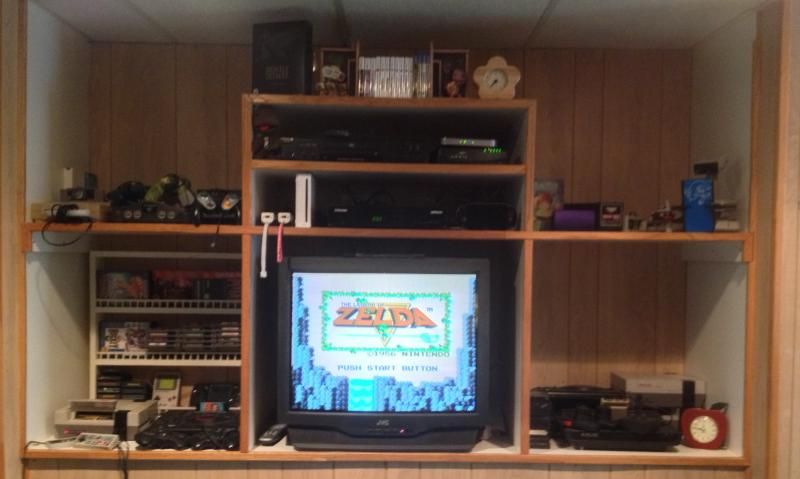
Got a retro room? Post it here!

kowenicki said:

Memory management isn't fully implemented yet.

However, on "home", select the Ryse tile and click the "Menu" button, this will give an uninstall option. But that will also uninstall the game. This is probably the only solution for now until the memory management is patched.


After uninstalling you may have to disconnect from the internet as it will probably re sync your save from the cloud.


kowenicki said:

Memory management isn't fully implemented yet.

However, on "home", select the Ryse tile and click the "Menu" button, this will give an uninstall option. But that will also uninstall the game. This is probably the only solution for now until the memory management is patched.


I see.Hopefully there´s a patch that fixes that very soon.

Another question.. I see that all games, even on disc, require a mandatory installation, so once a game is fully installed, do I need the disc in the console to play it?


JGarret said:
kowenicki said:

Memory management isn't fully implemented yet.

However, on "home", select the Ryse tile and click the "Menu" button, this will give an uninstall option. But that will also uninstall the game. This is probably the only solution for now until the memory management is patched.


I see.Hopefully there´s a patch that fixes that very soon.

Another question.. I see that all games, even on disc, require a mandatory installation, so once a game is fully installed, do I need the disc in the console to play it?

Yep.


Around the Network
Arcturus said:
JGarret said:
kowenicki said:

Memory management isn't fully implemented yet.

However, on "home", select the Ryse tile and click the "Menu" button, this will give an uninstall option. But that will also uninstall the game. This is probably the only solution for now until the memory management is patched.


I see.Hopefully there´s a patch that fixes that very soon.

Another question.. I see that all games, even on disc, require a mandatory installation, so once a game is fully installed, do I need the disc in the console to play it?

Yep.


Thanks.

Another thing, if I´m not using Kinect, no automatic sign-in for my profile?


JGarret said:
Arcturus said:
JGarret said:
kowenicki said:

Memory management isn't fully implemented yet.

However, on "home", select the Ryse tile and click the "Menu" button, this will give an uninstall option. But that will also uninstall the game. This is probably the only solution for now until the memory management is patched.


I see.Hopefully there´s a patch that fixes that very soon.

Another question.. I see that all games, even on disc, require a mandatory installation, so once a game is fully installed, do I need the disc in the console to play it?

Yep.


Thanks.

Another thing, if I´m not using Kinect, no automatic sign-in for my profile?

Not sure. Someone with an Xbox One may be able to answer that for you though.