








| PullusPardus said: But why are installed games showing in the front page? You have to cycle through all the installations to find downloaded games? Why not make it like on PS3 where install data is hidden and games are neatly categorized.
This is the same issue for vita if you have that as well you have a lot of icons that are game installs. You click on them and it says "insert cartridge "
For download history I'm talking like how it is on ps3 you find a long list of purchase history and download any of them. I might had "purchased" a ps4 game in the past for free in hope that I might download them when I get it. But I can't find that menu and I saved ps plus for that reason. |
Ok I think I finally get what you mean by "install data" as a matter of fact those icons on the front page are not install files. They are the game. So if you select a game on the front page and press x it will start the game. Not install it again (See pic. 2 point 4). You can also start your games from the library. The difference between the front page and the library is that on the front page you can limit how many games are being diplayed while in the library all will be visible.
In the Library all your purchases and downloads are stored as well. So you can redownload your games there
Here some general pics to explain the system a little bit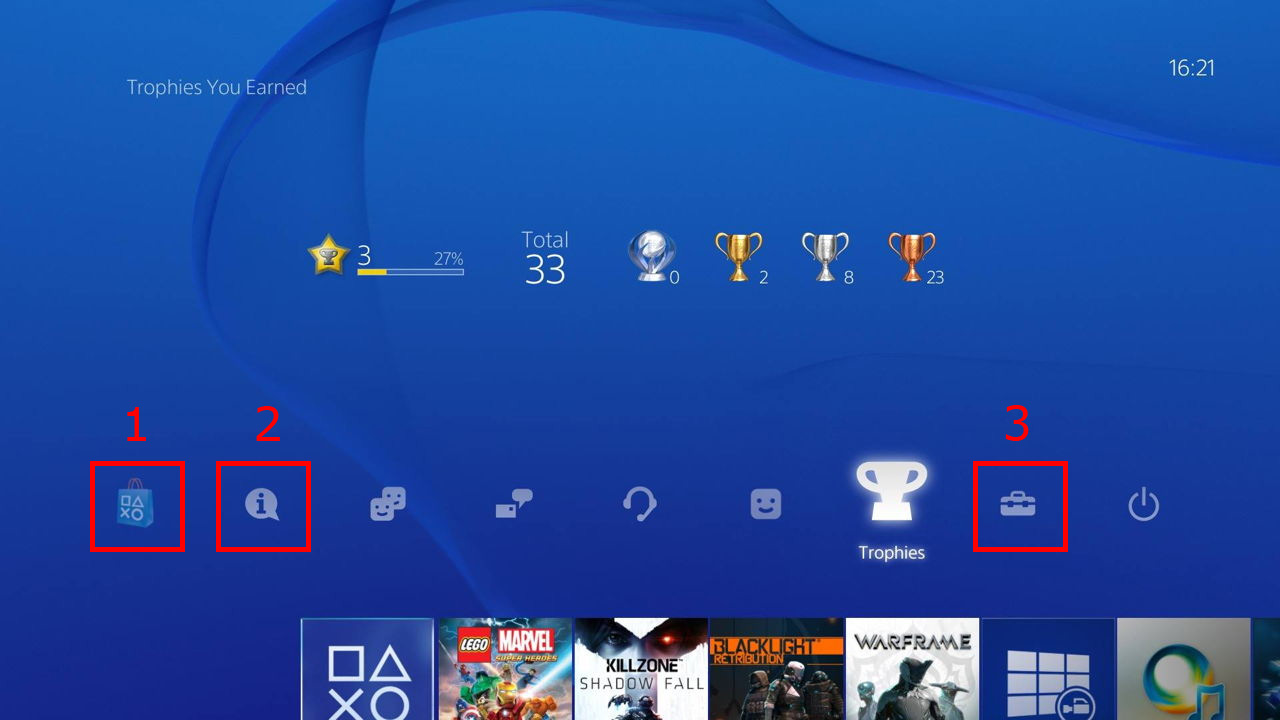
1: The playstation store. This is one way to acces all your purchases. Wether you downloaded them or not
2: If you downloaded a Game it will also show up here. Along with update files and invatations / other stuff
3: Settings. Here you can change your system setting like how many games are being displayed on the homescreen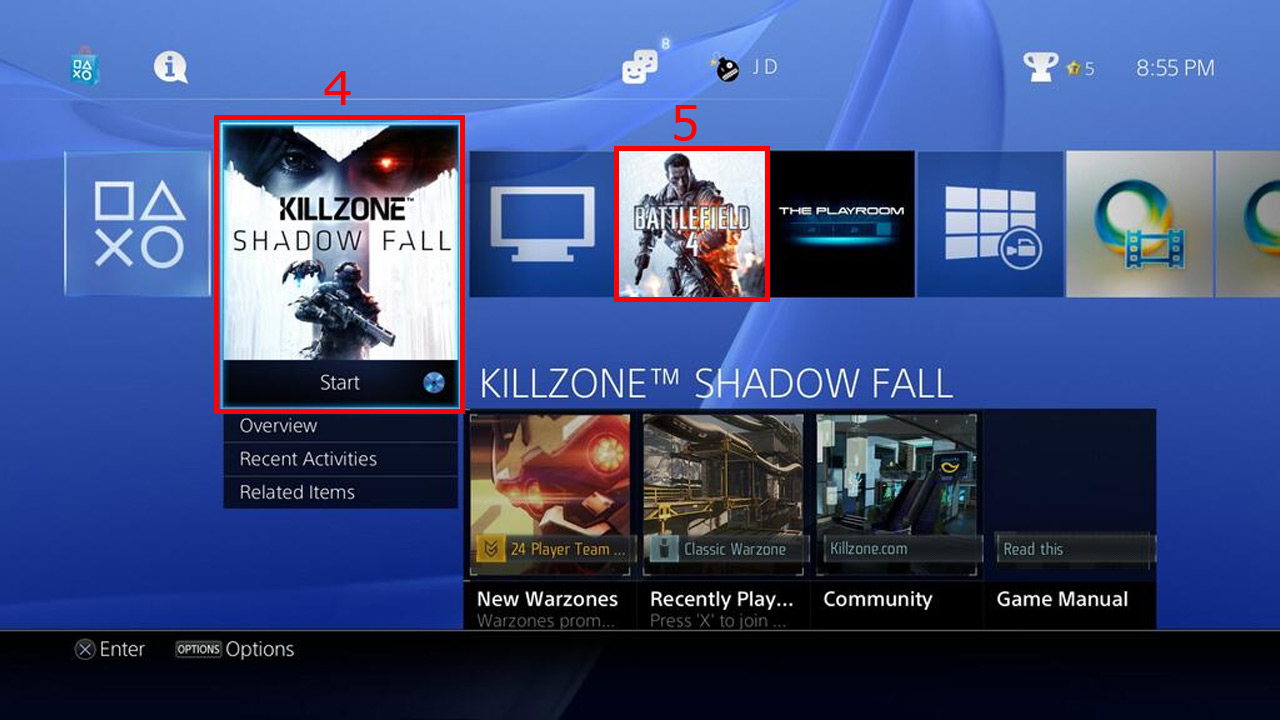
4: This is the latest game (either the game you last played or the game you last installed). Cause theres a high chance you´ll want to play the game you last played again / you´ll want to play the game you just installed. Think of it like a "last modified date" ordering system
Notice how there is a disc next to start? that means this game is not a download but a disc based install. Those need the disc to verify/start the game
Downloaded games do not need a disc (duh you don´t have one after all) and thus won´t show that disc icon
5: The 2nd latest game you played/installed
And 2 videos that´ll explain it better
Long version: https://www.youtube.com/watch?v=uaLE6YbD6xo
Short version: https://www.youtube.com/watch?v=z1StkG_tuYI
I hope this was helpful.
Best
itsFizz
 |
|
| Yup...RO friggin rocked |


