


Yesterday, I made a thread discussing the doom of consoles due to tablets/smartphones. Today, I came across this article about streaming PC games on an ipad.
Per the Grabit article:
How To Play PC Games On Your iPad - A Step-By-Step Guide
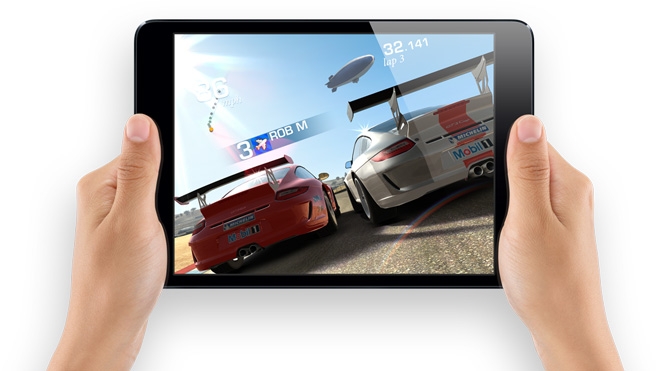
Here at Grab It, we understand the excitement that comes from owning and gaming on a brand new iPad, but also how difficult it is to learn all the ins and outs. In this article, we’ve put together a step-by-step guide on how to stream PC games directly to your iPad with minimal effort.
If you’re interested in more tips and guides to get the most from your iPad, be sure to check out the following articles:
- How to Play Quake III on iPad – A Step By Step Guide
- Tablet Tips: A Gamer’s Guide to Getting The Most From Your iPad – Part 1
If you want to skip to our step-by-step guide, scroll down to the bottom of the page.
Before we get into the details, let’s address the elephant in the room – why would you want to play PC games on an iPad? After all, if you have a moderately decent computer, surely streaming games to an iPad is going to result in a downgrade in graphics and functionality? Quite frankly, yes that is correct.
Keep in mind, however, this is a solution for those exceptional circumstances where access to your PC may not be practicable. Perhaps your significant other has been “encouraging” you to stop acting like a hermit in that dark den of a study where your desktop lives. Maybe you don’t own a laptop capable of running high-end games. Or, if you’re in a similar position to me, you may have your PC hooked up to the TV in your living room, resulting in frequent battles for control of the remote.
Whatever your reason may be, the process for getting PC games to run on an iPad is actually quite straightforward. All it requires is a remote desktop client. If you’re unfamiliar with such programs, they enable you to stream your PC or Mac directly to another device. Remote desktop clients are plentiful on the App Store, with popular apps including TeamViewer, LogMeIn, and PocketCloud. All of these clients work quite well from a technical perspective, but from a gaming standpoint, here at Grab It we’ve found the Splashtop 2 Remote Desktop to be the pick of the bunch.
Splashtop 2 streams the display of your desktop directly to your iPad, with essentially a 1:1 representation of picture and audio. When you boot up Splashtop on your iPad, it will automatically resize the PC display resolution to match that of your iPad. Keep in mind though that as soon as you begin moving away from your local network, the response time will slow down significantly to the point that games are almost unplayable. You can fiddle around with some of the settings and there is an option to purchase additional subscriptions (for example, one allows you to stream across 3G networks) but for gaming purposes, playing at home is the better option.
As you might have guessed, the biggest limitation with Splashtop, or indeed any remote desktop client, is the reduction in control flexibility. PC games that require semi-complex control mechanics, using a combination of a keyboard and/or mouse, will be difficult to replicate on an iPad. The app does have an onscreen keyboard and directional buttons, but these don’t go all the way to solving the problem.
Accordingly, the best types of PC games to play on your iPad are full-windowed titles that rely almost entirely on a mouse control scheme. Some good examples include MMOs like World of Warcraft, strategy titles like Diablo 3 or Civilization V and simple puzzle games or even Flash-based titles like Farmville.
If you're interested in playing more complex games, there are some workarounds. The devs of Splashtop have released the Splashtop Remote Touchpad, which essentially turns your iPhone or iPod into a controller. A similar program that also does quite a good job is Joypad.
That’s all there really is to it. So check out the step-by-step guide below and happy gaming! It's also worth noting that the Splashtop apps mentioned above have just gone free on the App Store for a limited time, so this is the perfect opportunity to pick them up.
Please let us know about your experience. Have you found another remote desktop client that works well for gaming purpose? What sort of games have you found to work best when streaming from a desktop to an iPad? Drop us a line through our social media channels.
Step-by-Step Guide
1. Buy Splashtop 2 Remote Desktop (grab it here)
2. Boot up the app and create a free Splashtop account
3. Download Splashtop Streamer (www.splashtop.com) onto your PC
4. Boot up Splashtop 2 Remote Desktop on your iPad and game away
Source: http://www.grabitmagazine.com/blog/post/how-to-play-pc-games-on-ipad-a-step-by-step-guide/
It is near the end of the end....