


radiantshadow92 on 08 November 2010
nvm thought it was something else lol












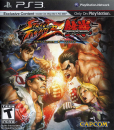
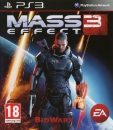
You can only save certain save files onto USBs.
Like I can back up Final Fantasy XIII, God of War III, Borderlands save files onto a USB but I can't back up my Dragon Age, Heavy Rain, Street Fighter save files.
You pretty much have to manually check whether to see which save files are able to be saved onto a USB.
Only other way to fully back them all up and transfer is the Data Transfer.






Hynad said:
No, you can't. At least as far as I know, when you save, the game won't ask you to choose the storage drive you wish to put your game on. That's unfortunate, I will agree to that. The future (next gen) will probably fix that though, with Cloud saving and stuff like that. I just think it's really stupid that some games will lock the saves to an individual console (like Heavy Rain, among some others, as I mentioned earlier). Copying files to a USB drive doesn't take long though (2-3 seconds per file), so it's not THAT bothersome. |
Unfortunately it is.
The reason why I want to have a 2nd PS3/360 in my office is so when I want to play a game but The Wife is using the TV I can still game without disturbing her.
That unfortunately leaves me with two options:
Sadly, neither of those are really acceptable.
Oh well, now I suppose I get to decide if I want a Blu Ray in my office or just sell my old PS3. It's not that big of a deal anyways since I did originally intend to sell my BC PS3, I just thought that since I now have two 360's and two PS3's if I could have a gaming setup in two places.
Thanks for the help all!




twesterm said:
Unfortunately it is. The reason why I want to have a 2nd PS3/360 in my office is so when I want to play a game but The Wife is using the TV I can still game without disturbing her. That unfortunately leaves me with two options:
Sadly, neither of those are really acceptable. Oh well, now I suppose I get to decide if I want a Blu Ray in my office or just sell my old PS3. It's not that big of a deal anyways since I did originally intend to sell my BC PS3, I just thought that since I now have two 360's and two PS3's if I could have a gaming setup in two places. Thanks for the help all! |
You can copy certain game saves to a USB, when I moved to a new HDD I did that, though one game save (Demons Soul's would not copy) so I had to do the data backup utility, and hence had to delete all my install data to copy since those were big ones... Though now at 500GB, if I run out of room I will be shocked...
On a side note, went to EB to pick up a new HDD for the 360 since I had a launch 20GB, HDD price was $160.. so I bought a new 360S, seriously for $140 more I got a new 360S, 250GB HDD, another controller, another headset, the data transfer cable (for free) and a game (Splinter Cell: Conviction)
Microsoft is really out to lunch on HDD prices
Unicorns ARE real - They are just fat, grey and called Rhinos


| Tanstalas said: You can copy certain game saves to a USB, when I moved to a new HDD I did that, though one game save (Demons Soul's would not copy) so I had to do the data backup utility, and hence had to delete all my install data to copy since those were big ones... Though now at 500GB, if I run out of room I will be shocked... |
Copying saving data once isn't a concern, it's making my save games easily portable on a day-to-day basis is what I'm wanting.
I don't really want to constantly transfer my save games to my USB drive every time I'm done with a game and transferring save games to my USB drive right before I go to the other console isn't an option since I'm doing this because I can't use that TV when I would want to play a game.

About Us |
Terms of Use |
Privacy Policy |
Advertise |
Staff |
Contact
Display As Desktop
Display As Mobile
© 2006-2026 VGChartz Ltd. All rights reserved.


